
Demystifying RAM and Storage: What You Need to Know
The way devices handle information is fundamental to their operation. Understanding the roles of Random Access Memory (RAM) and storage is key to appreciating how computers, phones, and other electronics function and perform. While often discussed together, RAM and storage serve distinct purposes.
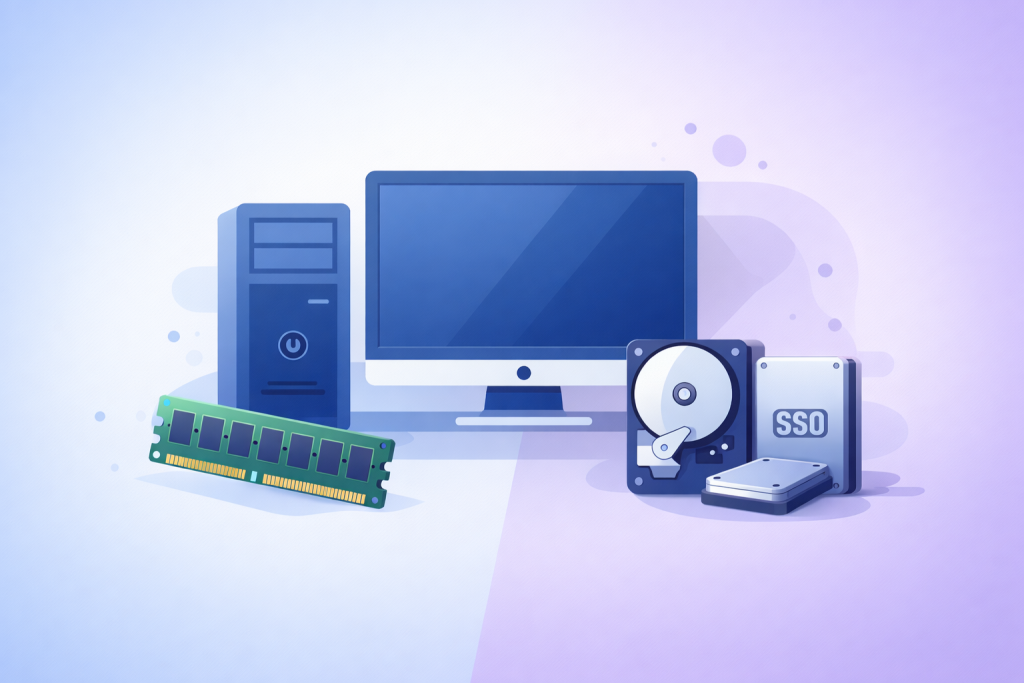
RAM and storage are the two primary locations where a device holds information, but they operate very differently. Think of RAM as your device’s short-term memory, like a workbench where you actively work on projects. Storage, on the other hand, is your device’s long-term memory, akin to a filing cabinet where you store completed projects and important documents.
Contents
- 0.1 The Nature of RAM
- 0.2 The Nature of Storage
- 0.3 RAM as the Workbench
- 0.4 The Impact of Insufficient RAM
- 0.5 RAM and Multitasking
- 0.6 Storage Capacity
- 0.7 Storage Speed and Performance
- 0.8 Storage as the Digital Library
- 0.9 Types of RAM
- 0.10 Types of Storage Devices
- 0.11 Gaming Requirements
- 0.12 Multitasking Demands
- 0.13 Assess Your Usage
- 0.14 Consider Future Needs
- 0.15 Balance Speed and Capacity
- 0.16 Myth: More RAM Always Solves Every Performance Problem.
- 0.17 Myth: All Gigabytes Are Created Equal.
- 0.18 Myth: You Can Never Have Too Much RAM.
- 0.19 Myth: SSDs Wear Out Quickly.
- 0.20 Upgrading RAM
- 0.21 Expanding Storage
- 0.22 Managing RAM
- 0.23 Managing Storage
- 0.24 RAM Advancements
- 0.25 Storage Advancements
- 1 FAQs
The Nature of RAM
RAM is volatile memory, meaning it needs a constant power supply to retain data. When you power off your device, everything stored in RAM is lost. Its primary function is to temporarily hold data that the processor (CPU) needs to access quickly for current tasks. This includes the operating system, open applications, and any data those applications are actively using. The speed at which a CPU can access data from RAM directly influences the overall responsiveness of your device.
The Nature of Storage
Storage, conversely, is non-volatile. This means it retains data even when the power is off. This is where your operating system, applications, photos, videos, documents, and all other files are permanently kept. When you want to use an application or open a file, it’s loaded from storage into RAM for the CPU to work with. The speed of your storage directly impacts how quickly your device boots up, how fast applications launch, and how long it takes to save or load large files.
RAM plays a critical role in the speed and fluidity of your device’s operations. When you run programs, the CPU needs immediate access to the instructions and data associated with those programs. RAM provides this high-speed access. The more RAM your device has, the more information it can hold readily available for the CPU.
RAM as the Workbench
Imagine you are a chef preparing a meal. The ingredients you are currently chopping, mixing, or cooking are on your countertop – this is your RAM. The ingredients stored in your pantry or refrigerator represent your storage. The size of your countertop dictates how many ingredients you can have out and ready to use at once. A larger countertop allows you to work on multiple dishes or prepare many components simultaneously without having to constantly go to the pantry to retrieve them. Similarly, more RAM allows your device to handle more tasks concurrently without slowing down.
The Impact of Insufficient RAM
When a device runs out of available RAM, it has to resort to using a portion of the storage as a temporary backup – a process often referred to as “swapping” or “paging.” Storage is significantly slower than RAM. This means that when your device needs to retrieve data from this slower storage space, you will experience noticeable slowdowns. Applications may become unresponsive, opening new programs will take longer, and the overall user experience will degrade.
RAM and Multitasking
Multitasking, or running multiple applications at the same time, is heavily reliant on RAM. Each application you open, along with its associated data, occupies a portion of your RAM. If you frequently switch between many applications, or run demanding programs like video editors or complex spreadsheets, you will need a substantial amount of RAM to ensure smooth switching and operation. Without enough RAM, switching between applications can feel like waiting for each one to reload from storage.
Storage determines how much data your device can hold and also influences how quickly you can access that data. It’s where all your digital life resides permanently.
Storage Capacity
The capacity of your storage is measured in gigabytes (GB) or terabytes (TB). This dictates the total amount of data you can store. If you are a photographer, a musician, or a gamer, you will likely require larger storage capacities to accommodate your files. Running out of storage means you can no longer save new files, install new applications, or receive updates.
Storage Speed and Performance
The speed of your storage is just as important as its capacity. Different types of storage devices have different read and write speeds. Hard Disk Drives (HDDs) are typically slower but offer larger capacities for a lower cost. Solid State Drives (SSDs), on the other hand, are significantly faster, leading to quicker boot times, faster application loading, and overall snappier system performance, though they are generally more expensive per gigabyte.
Storage as the Digital Library
Consider your storage as a vast digital library. The size of the library determines how many books (files) you can store. The organization and the speed at which librarians can fetch a book for you determine how quickly you can access information. An SSD is like a highly efficient library with a fast retrieval system, while an HDD is a larger but less organized library where finding a specific book might take more time.
The landscape of RAM and storage technologies is diverse, with various types offering different performance characteristics and price points.
Types of RAM
Modern computers primarily use Synchronous Dynamic Random-Access Memory (SDRAM). Within this category, DDR (Double Data Rate) generations are most common. DDR4 is prevalent in many current devices, offering good performance for everyday tasks. DDR5 is the latest generation, providing higher speeds and improved efficiency, often found in newer, high-performance systems. Within these generations, RAM is also characterized by its clock speed (measured in MHz) and timings (latency), which also contribute to its overall performance.
Types of Storage Devices
Hard Disk Drives (HDDs): These are traditional storage devices that use spinning platters and a read/write head to access data. They are cost-effective for large capacities but are slower and more susceptible to physical damage due to their moving parts.
Solid State Drives (SSDs): SSDs use flash memory, similar to USB drives, to store data. They have no moving parts, making them much faster, more durable, and quieter than HDDs. There are different form factors for SSDs, including 2.5-inch drives (which often replace older HDDs in laptops and desktops) and M.2 drives, which are smaller and can connect directly to the motherboard for even faster performance. NVMe (Non-Volatile Memory Express) is a protocol that further enhances the speed of M.2 SSDs by allowing them to communicate directly with the CPU.
Hybrid Drives (SSHDs): These combine a traditional HDD with a small amount of SSD cache. They offer a balance between capacity and speed, but are less common now with the falling prices of SSDs.
For activities like gaming and demanding multitasking, RAM and storage choices become particularly important. These scenarios push your device’s capabilities, and insufficient resources will quickly become a bottleneck.
Gaming Requirements
Modern video games are resource-intensive. They require loading large textures, complex environments, and audio assets rapidly. Sufficient RAM is crucial to hold these game assets so the CPU and graphics card (GPU) can access them without delay. If your RAM is too low, you’ll likely experience frame rate drops, stuttering, and longer loading times between levels or areas. The speed of your storage also impacts how quickly game levels load. An SSD is highly recommended for a smoother gaming experience.
Multitasking Demands
As previously discussed, multitasking involves running multiple applications simultaneously. Each application consumes RAM. If you are a professional who juggles many browser tabs, design software, communication tools, and perhaps virtualization environments, the more RAM you have, the more fluidly you can switch between these tasks. Running out of RAM will force your system to use the slower storage for overflow, making your workflow frustratingly sluggish.
Selecting appropriate RAM and storage involves balancing your usage needs with your budget.
Assess Your Usage
The first step is to honestly assess how you use your device.
- Basic Use (Web browsing, email, word processing): 8GB of RAM is generally sufficient. A moderate amount of storage, perhaps 256GB or 512GB, is usually adequate.
- Moderate Use (Streaming, light photo editing, occasional gaming): 16GB of RAM is recommended. 512GB or 1TB of storage will provide comfortable space.
- Heavy Use (Professional video editing, complex simulations, demanding gaming, virtual machines): 32GB of RAM or more is advisable. 1TB of storage or more is often necessary, and an NVMe SSD is highly beneficial.
Consider Future Needs
It’s often wise to slightly overprovision on RAM and storage to accommodate future software demands or increased personal data accumulation.
Balance Speed and Capacity
If budget is a constraint, decide what is more critical. If you need to store many large files, a larger HDD might be more practical, supplemented with a smaller SSD for the operating system and frequently used applications. However, if speed is paramount for your workflow or enjoyment, prioritizing an SSD, even if it means having less total storage initially, is often a better investment.
Several misconceptions surround RAM and storage, leading to unnecessary confusion or misguided purchasing decisions.
Myth: More RAM Always Solves Every Performance Problem.
While RAM is vital, it’s not a universal fix. If your CPU is the bottleneck or your storage is extremely slow, even plentiful RAM won’t magically make your device lightning-fast. RAM helps with responsiveness and multitasking, but raw processing power and data access speed are also critical components of performance.
Myth: All Gigabytes Are Created Equal.
This isn’t true for storage. A gigabyte of storage on a fast NVMe SSD will result in a much better user experience than a gigabyte on a slow HDD, even though the raw number is the same. Similarly, RAM speed and latency play a role beyond just the capacity.
Myth: You Can Never Have Too Much RAM.
While more RAM is generally better up to a certain point for your specific use case, having an excessive amount of RAM beyond what your applications can utilize can be a wasted investment. The operating system may use it for caching, which can offer minor benefits, but the performance gains diminish significantly after meeting the needs of your most demanding tasks.
Myth: SSDs Wear Out Quickly.
Modern SSDs have endurance levels that are more than sufficient for the average user’s needs over the lifespan of a typical device. While flash memory cells have a finite number of write cycles, the technology has advanced to the point where this is rarely a practical concern for consumers.
Many devices offer the flexibility to upgrade or expand their RAM and storage, extending their useful life and improving performance.
Upgrading RAM
RAM is often one of the easiest components to upgrade. For laptops and desktops, you can typically open the device, locate the RAM slots, and replace existing modules with higher-capacity or faster ones, ensuring they are compatible with your motherboard. It’s crucial to check your device’s specifications or motherboard manual for compatible RAM types (e.g., DDR4, DDR5), speeds, and maximum supported capacities.
Expanding Storage
Storage expansion is also common.
- Adding an SSD/HDD: In desktops and some larger laptops, you can often add additional internal drives. This can be a secondary drive for bulk storage or a primary drive to replace a slower HDD.
- Replacing an Existing Drive: You can replace a smaller or slower internal drive with a larger or faster one (e.g., upgrading from an HDD to an SSD).
- External Storage: For both RAM and storage, external options exist. USB flash drives and external hard drives offer portable storage solutions. For RAM, external memory solutions are not a standard consumer option.
Before attempting any upgrade, it is essential to consult your device’s manual or manufacturer’s support resources to ensure compatibility and proper installation procedures.
Even with adequate RAM and storage, effective management can ensure your device runs optimally.
Managing RAM
- Close Unused Applications: The simplest way to free up RAM is to close programs you are not actively using.
- Limit Browser Tabs: Web browsers, especially with many tabs open, can consume significant amounts of RAM. Consider closing tabs you don’t need or using browser extensions that help manage tab memory usage.
- Monitor Resource Usage: Operating systems provide tools (like Task Manager on Windows or Activity Monitor on macOS) to show which applications are using the most RAM. This can help identify memory-hungry processes.
Managing Storage
- Regularly Delete Unnecessary Files: Uninstall applications you no longer use, delete old downloads, and clear out temporary files.
- Disk Cleanup Tools: Use built-in operating system tools or third-party applications to find and remove redundant files.
- Cloud Storage: For photos, videos, and documents, cloud storage services can offload data from your local storage, freeing up space.
- Defragmentation (for HDDs): On traditional HDDs, defragmentation can rearrange scattered data files to improve read speeds. This is not necessary and can be detrimental to SSDs.
- Data Archiving: For large amounts of data you don’t access frequently, consider archiving it to external drives or cloud storage.
The evolution of RAM and storage is ongoing, with continuous advancements aiming for greater speed, capacity, and efficiency.
RAM Advancements
Future RAM technologies are likely to focus on increased bandwidth and lower power consumption. DDR6 is expected to offer significant speed improvements over DDR5. Emerging technologies like Compute Express Link (CXL) are also set to change how CPU memory is managed, potentially allowing for memory pooling and more efficient resource utilization across multiple processors. Technologies like 3D XPoint are also being explored for their potential to bridge the gap between RAM and traditional storage, offering a new tier of fast, persistent memory.
Storage Advancements
SSDs will continue to become faster and more affordable. NVMe technology will likely become even more integrated, with faster interfaces and protocols. New storage media, beyond NAND flash, are being researched and developed, promising even higher densities and faster access times. Technologies like holographic storage and DNA storage are long-term research areas exploring radically new ways to store vast amounts of data. The integration of storage and processing, in the form of computational storage, is also a growing trend, where storage devices can perform some processing tasks directly, reducing data movement and improving efficiency.
FAQs
1. What is the difference between RAM and storage?
RAM (Random Access Memory) is a type of volatile memory that temporarily stores data and instructions for the CPU to access quickly. It is used for active tasks and processes. Storage, on the other hand, refers to non-volatile memory that permanently stores data, files, and applications even when the device is turned off. It includes hard drives, solid-state drives, and other storage devices.
2. How does RAM affect a device’s performance?
RAM plays a crucial role in a device’s performance by allowing it to run multiple applications simultaneously and switch between them seamlessly. More RAM enables faster multitasking, smoother performance, and better responsiveness, especially when handling resource-intensive tasks like gaming, video editing, and graphic design.
3. How does storage affect a device’s capacity and speed?
The type and speed of storage directly impact a device’s capacity and speed. Solid-state drives (SSDs) are faster and more efficient than traditional hard disk drives (HDDs), leading to quicker boot times, faster file transfers, and improved overall system responsiveness. Additionally, larger storage capacities allow for more data, files, and applications to be stored on the device.
4. What are the types of RAM and storage options available?
Different types of RAM include DDR3, DDR4, and DDR5, each offering varying speeds and performance capabilities. Storage options range from HDDs, which provide high capacities at a lower cost, to SSDs, which offer faster speeds and better durability. There are also hybrid drives that combine the benefits of both HDDs and SSDs.
5. How can I upgrade and expand my device’s RAM and storage?
Upgrading RAM and storage depends on the device’s compatibility and upgradability. For RAM, you can typically add more modules or replace existing ones with higher-capacity options. When it comes to storage, you can upgrade by adding a new drive or replacing the existing one with a larger or faster option. It’s important to consult the device’s manual or a professional to ensure compatibility and proper installation.

Sarah Khan is a technology enthusiast and the admin of ProTechTuto. Her goal is to provide clear, practical, and easy-to-understand tech guides for beginners, helping them build strong digital skills with confidence.