
Unraveling the Mysteries of the Internet: A Beginner’s Introduction to How it Works
The internet, a global network of interconnected computer systems, has fundamentally reshaped how we communicate, access information, and conduct business. This article provides a foundational understanding of its operational principles, from basic connectivity to advanced concepts like data transfer and security.
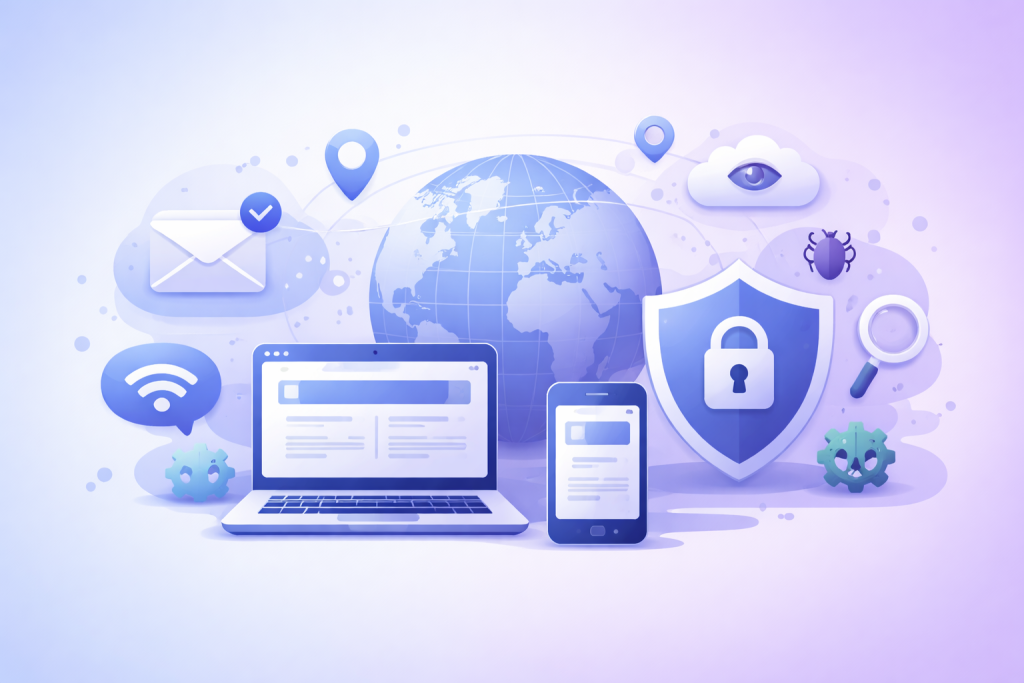
At its core, the internet functions as a vast network. Imagine it as a massive, intricate road system spanning the globe, where information, like countless cars, travels between different destinations. These destinations are computers and servers, and the roads are the various communication channels that link them.
Contents
- 0.1 Wires, Wireless, and Routers
- 0.2 Internet Service Providers (ISPs)
- 0.3 Websites: Locations on the Web
- 0.4 How Data Travels: The Packet Journey
- 0.5 TCP/IP: The Core Protocols
- 0.6 HTTP/HTTPS: Web Communication
- 0.7 IP Addresses: Digital Street Addresses
- 0.8 Domain Names: Memorable Labels
- 0.9 Search Engines: Internet Navigators
- 0.10 Email and Messaging: Digital Correspondence
- 0.11 Social Media: Connecting Communities
- 0.12 Internet Security and Privacy: Protecting Your Digital Self
- 0.13 Societal Transformations
- 0.14 Emerging Technologies and Trends
- 1 FAQs
- 1.1 1. What is the difference between the Internet and the World Wide Web?
- 1.2 2. How do websites work, and how are they hosted and accessed?
- 1.3 3. What are domain names and IP addresses, and how do they relate to each other?
- 1.4 4. What role do Internet Service Providers (ISPs) play in connecting users to the internet?
- 1.5 5. How can individuals protect their online presence and privacy in the digital age?
Wires, Wireless, and Routers
The journey of information often begins at your home or office. Your computer connects to a local network, typically via an Ethernet cable or Wi-Fi. This local connection extends to a modem, a device that translates digital signals from your computer into analog signals that can travel over telephone lines, coaxial cables, or fiber optic lines, and vice versa. The modem then connects to a router, which acts as a traffic controller for your local network, directing data to and from the internet. This router is essentially a local highway interchange, managing traffic entering and exiting your home network.
Internet Service Providers (ISPs)
The modem and router are your gateway to the larger internet. Your Internet Service Provider (ISP) is the company that provides this access. ISPs own and operate the infrastructure that connects your home or office to the broader internet network. Think of an ISP as the company that owns the main highways and interstates, allowing your local roads to connect to the national and international road system. They manage the flow of traffic and ensure your data reaches its intended destination on the internet.
While the internet is the underlying infrastructure, the World Wide Web (WWW) is a system of interconnected documents and other web resources, accessed via the internet. It’s incorrect to use “internet” and “web” interchangeably. The internet is the hardware and connections; the web is a software service built upon that hardware. Imagine the internet as a collection of bookshelves and the World Wide Web as the vast library of books housed within them.
Websites: Locations on the Web
A website is a collection of related web pages and multimedia content, identified by a common domain name and published on at least one web server. When you type a website address into your browser, you are requesting information from a specific server. This server, a powerful computer designed to host websites, stores the website’s files and delivers them to your browser. Typically written in languages like HTML, CSS, and JavaScript, your browser then interprets these files to display the web page you see.
How Data Travels: The Packet Journey
When you request a webpage, your computer doesn’t send the entire request in one large chunk. Instead, the request is broken down into smaller pieces called “packets.” Each packet contains a small part of the data, along with information about its origin, destination, and the order in which it should be reassembled. These packets are like individual letters with addresses, each traveling independently through the network. They may even take different routes to reach the same destination, much like different cars can take various roads to reach a city. Once all packets arrive, your browser reassembles them to display the complete webpage.
The successful transfer of data relies on a set of rules and procedures called protocols. These protocols dictate how information is formatted, addressed, transmitted, and received across the network. Without them, the internet would be a chaotic mess of incomprehensible data.
TCP/IP: The Core Protocols
The Transmission Control Protocol/Internet Protocol (TCP/IP) suite is the foundation of internet communication. IP handles the addressing and routing of packets, ensuring they reach the correct destination. TCP, on the other hand, ensures reliable delivery of data. It breaks data into packets, reassembles them at the destination, and requests retransmission of any lost or corrupted packets. Think of IP as the postal service that delivers letters to the right address and TCP as the meticulous clerk who ensures all pages of the letter arrive in order and are readable.
HTTP/HTTPS: Web Communication
Hypertext Transfer Protocol (HTTP) is the protocol used for transmitting web pages. When you visit a website, your browser uses HTTP to request the page from the web server. HTTPS (HTTP Secure) is an encrypted version of HTTP, providing secure communication over a computer network. Malicious actors cannot intercept sensitive information, such as passwords and credit card numbers, thanks to this encryption. The “S” in HTTPS is like a secure, armored vehicle protecting your valuable data as it travels across the network.
To facilitate communication between devices, each one connected to the internet needs a unique identifier. This is where IP addresses and domain names come into play.
IP Addresses: Digital Street Addresses
An IP address is a numerical label assigned to each device connected to a computer network that uses the Internet Protocol for communication. It serves two main functions: host or network interface identification and location addressing. Think of an IP address as a unique street address for every house (device) on the internet. There are two main versions: IPv4, which uses a 32-bit address (e.g., 192.168.1.1), and IPv6, which uses a 128-bit address, accommodating the increasing number of connected devices.
Domain Names: Memorable Labels
Memorizing numerical IP addresses for every website would be impractical. This is where domain names come in. A domain name is a human-readable name that corresponds to an IP address (e.g., wikipedia.org). When you type a domain name into your browser, a Domain Name System (DNS) server translates that domain name into its corresponding IP address. This is like a phone book for the internet, translating memorable names into their numerical addresses.
With billions of websites, finding specific information would be daunting without search engines like Google, Bing, or DuckDuckGo. These engines use complex algorithms to crawl the web, indexing vast amounts of information. When you enter a query, the search engine matches your keywords to its index and presents relevant results. They are the expert librarians of the internet, helping you quickly locate the “books” (websites) you need from the immense library.
The internet has revolutionized how we interact, offering numerous platforms for communication. However, this connectivity also necessitates a focus on security and privacy.
Email and Messaging: Digital Correspondence
Email remains a cornerstone of digital communication, allowing asynchronous exchange of messages and files. Messaging apps (e.g., WhatsApp, Telegram) provide real-time, often encrypted, communication, facilitating instant conversations. These tools are like different forms of postal service, from traditional letter mail (email) to instant telegrams (messaging apps).
Social Media: Connecting Communities
Social media platforms (e.g., Facebook, Twitter, and Instagram) enable users to connect, share content, and build online communities. They have become significant forces in shaping public discourse and personal interactions. These platforms are essentially vast digital town squares, where people gather to share news, opinions, and aspects of their lives.
Internet Security and Privacy: Protecting Your Digital Self
The interconnected nature of the internet makes security paramount. Cybersecurity involves protecting systems and data from theft, damage, or unauthorized access. This includes using strong passwords, updating software regularly, and being wary of phishing attempts. Privacy, on the other hand, concerns the control individuals have over their personal information online. Understanding privacy settings on websites and applications, and being mindful of what information you share, are crucial steps in maintaining digital privacy. Safeguarding your online presence is like securing your home; you need locks, alarms, and vigilance to protect your belongings and personal space.
The internet has profoundly transformed society, influencing education, commerce, politics, and culture. Its continuous evolution promises further shifts in how we live and interact.
Societal Transformations
The internet has democratized information, enabled global collaboration, and fostered new industries. It has also presented challenges, such as the spread of misinformation, digital divides, and concerns about screen time. The internet is a powerful tool, capable of building bridges and creating understanding, but also capable of amplifying discord if not used responsibly.
Emerging Technologies and Trends
The internet continues to evolve rapidly. The development of 5G networks promises faster and more reliable mobile connectivity. The Internet of Things (IoT) will connect everyday objects to the internet, creating smart environments. Artificial intelligence (AI) and machine learning (ML) are being integrated into web services, enhancing user experiences and automating tasks. These emerging technologies are akin to new forms of transportation and construction, constantly upgrading the internet’s infrastructure and adding new functionalities. The future of the internet points toward a more interconnected, intelligent, and immersive digital experience.
FAQs
1. What is the difference between the Internet and the World Wide Web?
The internet is a global network of interconnected computers, while the World Wide Web is a system of interlinked hypertext documents accessed via the internet.
2. How do websites work, and how are they hosted and accessed?
Websites are hosted on servers, which are special computers that store website files and deliver them to users when they access the site through their web browsers.
3. What are domain names and IP addresses, and how do they relate to each other?
Domain names are human-readable addresses used to access websites, while IP addresses are numerical labels assigned to devices connected to a network. Domain names are translated into IP addresses by the Domain Name System (DNS) to locate the corresponding website.
4. What role do Internet Service Providers (ISPs) play in connecting users to the internet?
ISPs provide individuals and organizations with access to the internet, typically through various technologies such as dial-up, DSL, cable, fiber optics, or wireless connections.
5. How can individuals protect their online presence and privacy in the digital age?
Internet security measures such as using strong passwords, enabling two-factor authentication, keeping software updated, and being cautious about sharing personal information online can help protect individuals’ online presence and privacy.

Sarah Khan is a technology enthusiast and the admin of ProTechTuto. Her goal is to provide clear, practical, and easy-to-understand tech guides for beginners, helping them build strong digital skills with confidence.