
Efficiency at Your Fingertips: Harnessing Digital Tools for Task Management
Managing tasks effectively is central to productivity in both personal and professional life. The digital age has introduced a wide array of tools designed to assist individuals and teams in organizing, prioritizing, and completing tasks. These tools offer structured approaches to workflow, aiming to reduce cognitive load and improve output.
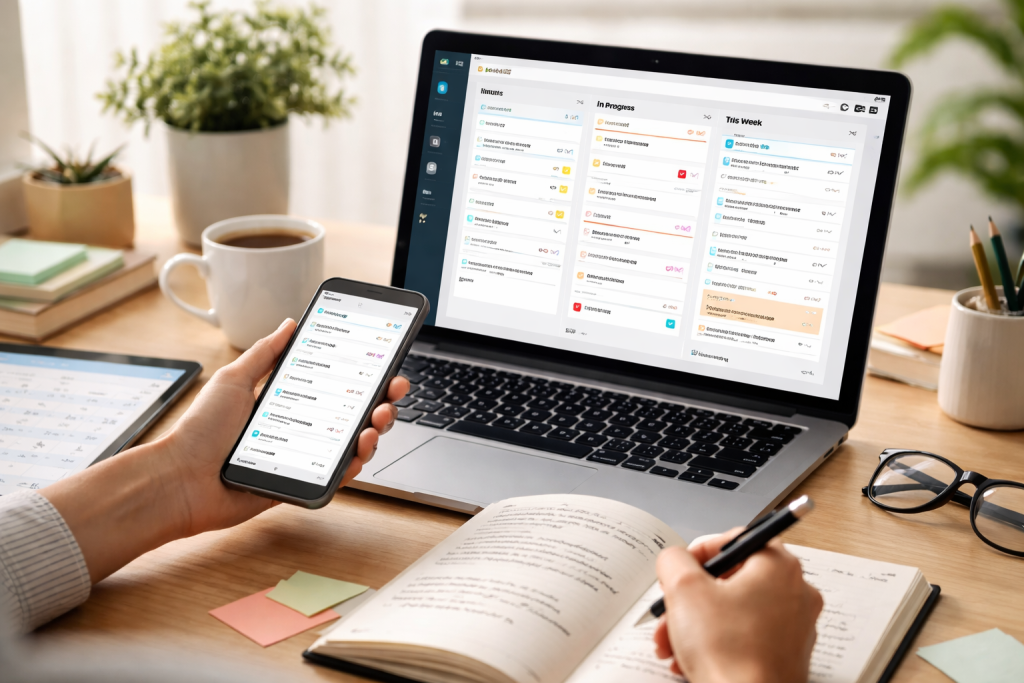
Digital task management is the application of electronic tools and technologies to organize, track, and control work. This approach moves away from traditional paper-based systems or simple memory recall, providing a more dynamic and accessible method for handling responsibilities. The core principle is to break down larger goals into smaller, manageable steps, each with defined parameters.
Contents
- 0.1 Understanding Task Components
- 0.2 Benefits of Digital Over Analog Systems
- 0.3 Streamlining Workflow with Digital Tools
- 0.4 Prioritization and Focus
- 0.5 Factors to Consider
- 0.6 Popular Categories of Digital Task Management Tools
- 0.7 Establishing a Routine
- 0.8 Tips for Effective Utilization
- 0.9 Automation and Artificial Intelligence
- 0.10 Enhanced Collaboration and Integration
- 1 FAQs
- 1.1 1. What are digital tools for task management?
- 1.2 2. How can digital task management maximize efficiency?
- 1.3 3. What are the benefits of integrating digital task management into daily routines?
- 1.4 4. How do you choose the right digital tools for task management?
- 1.5 5. What is the future of task management in relation to digital solutions?
Understanding Task Components
A task, in this context, is more than just a to-do item. It typically involves several components that digital tools help to manage:
The Task Itself
This is the core action or objective to be achieved. Digital tools provide a clear space to define what needs to be done.
Due Dates and Deadlines
A critical aspect of any task is its timeline. Digital platforms allow for precise scheduling, sending reminders, and visualizing time constraints. This prevents tasks from falling through the cracks.
Priority Levels
Not all tasks hold equal importance or urgency. Assigning priority levels helps individuals focus their efforts on what matters most, much like a navigator prioritizing hazards.
Dependencies and Subtasks
Larger projects are often composed of multiple smaller tasks that must be completed in a specific order. Digital tools excel at defining these relationships, showing how one task’s completion unlocks the next. This forms a chain reaction of progress.
Assignees and Collaboration
In team settings, tasks can be assigned to specific individuals. Digital tools facilitate clear delegation and communication, ensuring everyone understands their role and responsibility. This fosters collective ownership.
Benefits of Digital Over Analog Systems
The shift from analog to digital task management offers several distinct advantages. Analog systems, while sometimes offering a sense of tactile satisfaction, can be static and difficult to update or share. Digital tools, conversely, are dynamic and offer a wealth of functionalities.
Accessibility and Synchronization
Tasks managed digitally can often be accessed from multiple devices, whether a desktop computer, tablet, or smartphone. This ensures that your task list is with you wherever you go, not lost in a forgotten notebook. Cloud synchronization means updates made on one device are reflected across all others almost instantly.
Centralized Information
All task-related information, from descriptions and attachments to comments and progress updates, can be stored in one central location. This avoids the scattershot approach of having information spread across emails, notes, and disparate documents. It’s like having a single command center for all your operations.
Scalability
As individual workloads or team projects grow, digital task management systems can scale with them. Adding new tasks, projects, or team members is generally straightforward, without the physical limitations of expanding notebooks or whiteboards.
The primary goal of adopting digital task management tools is to enhance productivity. This is achieved through improved organization, better time allocation, and reduced mental overhead.
Streamlining Workflow with Digital Tools
Digital task management tools act as central hubs for workflow. They provide a structured environment where tasks can be created, organized, and moved through different stages of completion. This structured movement prevents bottlenecks and ensures a smoother flow of work.
Task Creation and Definition
The process of adding a new task is typically simple and intuitive. Users can input a clear title, a detailed description, and any relevant information needed to understand the scope of the work. Keywords and tags can be used to categorize tasks for easier retrieval.
Organization and Categorization
Effective task management relies on logical organization. Digital tools allow for the creation of projects, folders, or distinct lists to group related tasks. This allows users to see a cohesive picture of their work, rather than a jumbled collection of individual items. Sorting and filtering options further refine this organization, allowing users to quickly find what they need.
Progress Tracking
A key feature of digital task management is the ability to track progress. Tasks can be marked as ‘in progress,’ ‘completed,’ or moved through custom stages to reflect specific workflow steps. Visual indicators, such as progress bars or color-coding, provide a quick overview of project status. This visual feedback is like observing the gears of a machine turning smoothly.
Prioritization and Focus
Digital tools offer sophisticated methods for prioritizing tasks, ensuring that efforts are directed towards the most impactful work.
Setting Due Dates and Reminders
When a task has a deadline, digital tools allow for its precise inscription. Automated reminders can be set to alert users as deadlines approach, preventing last-minute rushes and missed commitments.
Applying Priority Labels
Most platforms allow for the assignment of priority levels, such as ‘High,’ ‘Medium,’ and ‘Low.’ This visual cue helps in deciding which tasks to tackle first when faced with a long list.
Utilizing Kanban Boards
Kanban boards, a visual project management tool, are often integrated into task management software. These boards use columns to represent stages of a workflow (e.g., ‘To Do,’ ‘In Progress,’ ‘Done’). Tasks are represented by cards that move across the board as they progress, providing a clear visual representation of workflow and bottlenecks. This method offers a clear pathway, highlighting where work is accumulating.
The market offers a wide variety of digital task management tools, each with its own strengths and features. Selecting the right tool depends on individual needs, team size, and the complexity of the work.
Factors to Consider
When evaluating task management software, several factors should be taken into account to ensure a good fit.
Complexity of Features
Some tools are designed for simple personal to-do lists, while others offer robust project management capabilities suitable for large teams and complex projects. Consider whether you need basic task tracking or advanced features like Gantt charts, time tracking, or resource allocation.
User Interface and Experience
An intuitive and user-friendly interface is crucial for consistent adoption. If the tool is difficult to navigate or operate, it will likely become a hindrance rather than a help. Look for a design that is clean, logical, and easy to understand.
Integration with Other Tools
Many task management tools can integrate with other applications, such as calendars, email clients, or cloud storage services. This allows for a more seamless workflow and reduces the need to switch between multiple applications.
Cost and Pricing Models
Digital task management tools come in various pricing structures, from free basic versions to paid subscriptions with advanced features. Consider your budget and the value provided by each tier.
Popular Categories of Digital Task Management Tools
Digital task management tools can be broadly categorized based on their primary focus and intended users.
Personal Task Managers
These tools are designed for individual use, focusing on managing personal to-do lists, appointments, and reminders. They are typically simple, intuitive, and affordable, often with free versions available. Examples include applications like Todoist (basic use), Microsoft To Do, and Google Tasks.
Project Management Software
These platforms are more comprehensive, designed for managing complex projects, often involving multiple team members. They offer features like task dependencies, resource management, collaboration tools, and reporting. Examples include Asana, Trello, Monday.com, and ClickUp. These are the command centers for larger operations.
Team Collaboration Platforms
While some project management software includes team collaboration features, other platforms are specifically built around facilitating teamwork. These tools often integrate chat, file sharing, and task delegation within a unified environment. Examples include Slack (with task integrations), Microsoft Teams, and Notion.
The effectiveness of digital task management tools hinges on their consistent integration into daily workflows. Simply acquiring the software is not enough; it requires active engagement and habitual use.
Establishing a Routine
Making task management a habit requires conscious effort and regular practice. Dedicate specific times each day or week to review, update, and plan your tasks.
Daily Planning and Review
Begin each day by reviewing your task list. Identify what needs to be accomplished and prioritize accordingly. At the end of the day, review what was completed and update the status of ongoing tasks. This daily check-in is like charting your course for the day.
Weekly Review and Planning
A more comprehensive weekly review allows for broader planning. Assess progress on larger projects, identify upcoming priorities, and adjust your task list for the week ahead. This ensures that projects remain on track and that long-term goals are not overlooked.
Tips for Effective Utilization
Maximizing the benefits of digital task management tools involves adopting smart strategies.
Be Specific and Actionable
When creating tasks, be as specific as possible. Instead of “Write report,” use “Draft executive summary for Q3 sales report” or “Research competitor pricing for new product.” This clarity leaves no room for ambiguity.
Break Down Large Tasks
If a task feels overwhelming, it is likely too large. Break it down into smaller, more manageable subtasks. These smaller steps become stepping stones towards completing the larger objective.
Regular Updates and Maintenance
Keep your task list current. As priorities shift or new information arises, update task details, due dates, or status. An outdated task list is a defunct tool.
Leverage Reminders and Notifications
Do not let your digital tool become a silent observer. Utilize the reminder and notification features to ensure important deadlines and tasks are not forgotten. These alerts serve as helpful nudges.
The evolution of digital task management is ongoing, with technology continually offering new possibilities for efficiency and productivity. The trend is clearly towards more integrated, intelligent, and adaptable solutions.
Automation and Artificial Intelligence
Future task management tools are likely to incorporate more advanced automation and artificial intelligence features. This could include:
Automated Task Creation and Scheduling
AI might analyze your communication patterns, calendar, and project requirements to suggest or even automatically create tasks and schedule them based on your availability and priorities. This proactive approach could significantly reduce manual data entry.
Intelligent Prioritization and Resource Allocation
AI could learn your work habits and project demands to provide more intelligent recommendations for task prioritization and even suggest optimal team member assignments based on workload and skills.
Predictive Analytics
Tools might be able to predict potential bottlenecks or delays in projects by analyzing historical data and current progress, allowing for proactive intervention.
Enhanced Collaboration and Integration
The future will likely see even deeper integration between task management tools and other aspects of digital work.
Seamless Cross-Platform Integration
Expect task management to become even more deeply embedded within other applications, such as email, communication platforms, and document editing software, creating a truly unified digital workspace.
Advanced Visualization and Reporting
More sophisticated visualization techniques, such as interactive dashboards and augmented reality interfaces, could offer new ways to understand project progress and team performance.
The digital landscape of task management is continually expanding, offering individuals and teams increasingly powerful ways to organize their work, focus their efforts, and achieve their goals. By understanding the principles and leveraging the available tools effectively, one can navigate the complexities of modern work with greater clarity and control.
FAQs
1. What are digital tools for task management?
Digital tools for task management are software or applications designed to help individuals and teams organize, prioritize, and track their tasks and projects. These tools often include features such as to-do lists, calendars, reminders, and collaboration capabilities to streamline workflow and improve productivity.
2. How can digital task management maximize efficiency?
Digital task management can maximize efficiency by providing a centralized platform for organizing and tracking tasks, setting reminders and deadlines, collaborating with team members, and accessing tasks from anywhere with internet connectivity. These tools can also automate repetitive tasks, provide insights into task progress, and facilitate better time management.
3. What are the benefits of integrating digital task management into daily routines?
Integrating digital task management into daily routines can lead to improved productivity, better time management, reduced stress, and enhanced collaboration among team members. These tools can also help individuals and teams stay organized, prioritize tasks, and maintain a clear overview of their workload.
4. How do you choose the right digital tools for task management?
When choosing digital tools for task management, it’s important to consider factors such as the specific needs of the individual or team, the features offered by the tool, ease of use, compatibility with existing systems, security measures, and customer support. It’s also helpful to read reviews and seek recommendations from other users.
5. What is the future of task management in relation to digital solutions?
The future of task management is likely to involve further integration of artificial intelligence, machine learning, and automation into digital task management tools. This could lead to more personalized task recommendations, predictive analytics for task prioritization, and seamless integration with other digital platforms and devices.

Sarah Khan is a technology enthusiast and the admin of ProTechTuto. Her goal is to provide clear, practical, and easy-to-understand tech guides for beginners, helping them build strong digital skills with confidence.