
The Ultimate Guide to Establishing a Professional Email Identity
A professional email identity is a fundamental component of modern professional life. It serves as a digital storefront, representing your professional self. This guide explores the creation, maintenance, and protection of this identity.
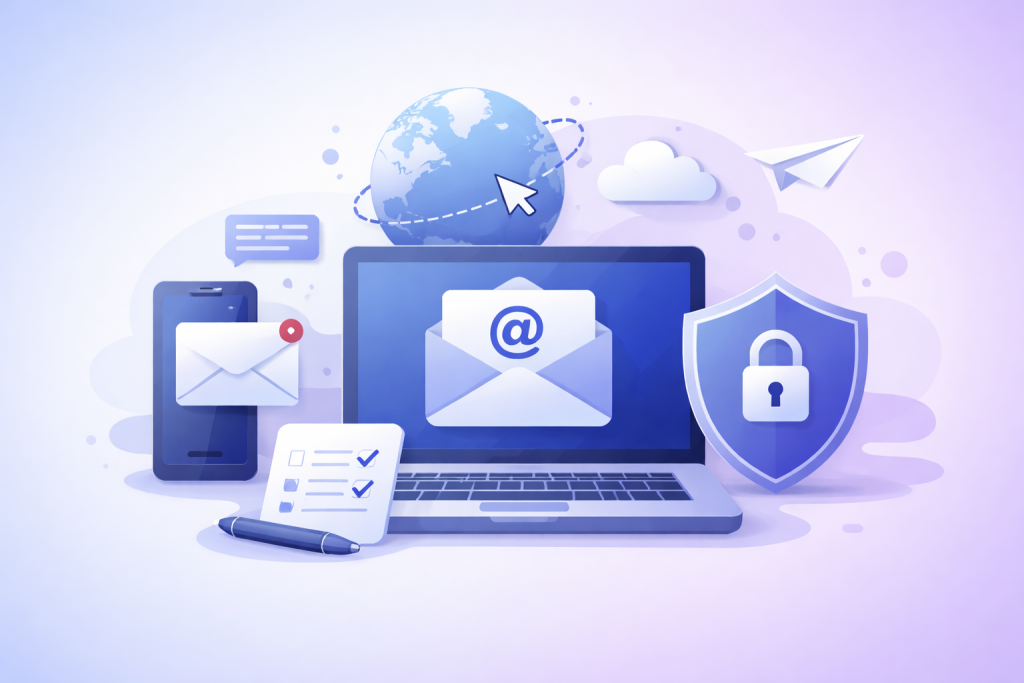
A professional email identity establishes credibility and provides a consistent point of contact. It signals competence and attention to detail.
Contents
- 0.1 First Impressions and Credibility
- 0.2 Brand and Professionalism
- 0.3 Domain Selection
- 0.4 Username Structure
- 0.5 Essential Components
- 0.6 Design and Formatting
- 0.7 Clear and Concise Subject Lines
- 0.8 Professional Tone and Grammar
- 0.9 Timely Responses
- 0.10 Taming the Inbox
- 0.11 Folder and Label Systems
- 0.12 Regular Inbox Cleanup
- 0.13 Strong Passwords and Two-Factor Authentication
- 0.14 Recognizing Phishing and Scams
- 0.15 Secure Email Practices
- 0.16 Professional Networking
- 0.17 Mentorship and Informational Interviews
- 0.18 Job Applications and Follow-ups
- 1 FAQs
- 1.1 1. Why does a professional email identity matter?
- 1.2 2. How do I choose the right email address for professional use?
- 1.3 3. What are the key elements of a professional email signature?
- 1.4 4. What are the best practices for professional email communication?
- 1.5 5. How can I protect my professional email identity from cyber threats?
First Impressions and Credibility
Your email address is often the first interaction a potential employer, client, or colleague has with you. A professional email address, typically using your name and a reputable domain, conveys seriousness and reliability. Conversely, an unprofessional or novelty email address can undermine your credibility before communication even begins. It’s akin to showing up to a formal interview in casual attire; it sends the wrong message.
Brand and Professionalism
A professional email identity contributes to your personal brand. It aligns with your professional image, reinforcing your expertise and commitment to your field. In an interconnected world, your digital footprint, including your email, is an extension of your professional persona. Maintain consistency across all professional platforms.
Selecting an appropriate email address is a foundational step in establishing your professional identity. The chosen address should be clear, concise, and professional.
Domain Selection
The domain name of your email address significantly impacts its perceived professionalism.
Employer-Provided Email
If employed, use your work email address for all work-related communications. This reinforces your affiliation and leverages your organization’s professional infrastructure. It also aids in separating personal from professional correspondence.
Personal Domain Email
Consider purchasing a personal domain name (e.g., yourname.com) for professional use, especially if you are a freelancer, consultant, or seeking employment. This offers the highest level of control and professionalism. It presents a unified brand image and helps you project an established presence. This is your digital real estate.
Reputable Free Email Providers
If a personal domain is not feasible, use email services from reputable providers such as Google (Gmail) or Microsoft (Outlook). Avoid novelty email domains or those associated with internet service providers (ISPs) if you change providers frequently. For example, using “yourname@gmail.com” is generally acceptable, while “coolguy123@aol.com” or “butterfly_kisses@yahoo.com” are not.
Username Structure
The structure of your email username should be simple and identifiable.
Full Name or Initials
Aim for a username that includes your full name, or a clear combination of your first initial and last name. Examples include “john.doe@example.com,” “john_doe@example.com,” or “jdoe@example.com.” Ensure consistency in your professional names across all platforms. Avoid generic terms or numbers that do not relate to your identity.
Avoiding Unprofessional Elements
Refrain from using slang, nicknames, numbers unrelated to your identity (unless necessary to differentiate from common names), or overly elaborate character combinations. Simplicity and clarity are paramount. A professional email address should be easily remembered and pronounced.
An email signature acts as a digital business card, providing essential contact information and reinforcing your professional identity.
Essential Components
A professional email signature should include key pieces of information.
Your Full Name and Title
Clearly state your full name as it appears professionally. Include your current professional title or role. This immediately informs the recipient of your position and establishes authority.
Company/Organization Name
If applicable, include the name of your company or organization. This provides context and affiliation.
Contact Information
Include your professional phone number (if you wish to be contacted by phone) and your professional website or LinkedIn profile URL. Avoid including personal contact details unless directly relevant to the professional context.
Design and Formatting
The visual presentation of your email signature impacts its professionalism.
Minimalist Design
Opt for a clean, minimalist design. Overly elaborate designs with excessive colors, fonts, or images can detract from the professional message. Think of it as a polished, concise footnote.
Consistent Branding
If you have a personal brand or company brand, ensure your email signature aligns with its visual identity, using consistent fonts and colors. Using your company logo can also be effective if it’s small and relevant.
Avoiding Quotes and Emojis
Refrain from including inspirational quotes, personal mottos, or emojis in your professional email signature. These elements can be perceived as unprofessional or distracting. Maintain a focused and functional approach.
Effective email communication is a skill that contributes to your professional reputation.
Clear and Concise Subject Lines
A well-crafted subject line is crucial. It should accurately reflect the email’s content and entice the recipient to open it. This is your email’s headline.
Informative and Specific
Be specific about the email’s purpose. For example, instead of “Meeting,” use “Meeting Agenda for Project X Discussion – June 10.” This manages expectations and aids in prioritization.
Urgency and Action
If the email requires immediate action or has a deadline, indicate it in the subject line. Use phrases like “Action Required: Project Proposal Review by EOD” to communicate urgency.
Professional Tone and Grammar
The tone of your email should always be professional and respectful.
Formal Salutations
Begin your email with a formal salutation such as “Dear [Name],” or “Hello [Name],” especially for initial communications or formal contexts. Adjust formality based on your relationship with the recipient.
Proper Grammar and Spelling
Proofread all emails carefully for grammatical errors and spelling mistakes. These errors can undermine your credibility. Use grammar checking tools, but always conduct a manual review. This is non-negotiable.
Respectful Language
Avoid slang, jargon (unless the recipient is familiar with it), and overly casual language. Maintain a polite and respectful tone, even when discussing disagreements. Choose words that convey clarity, not ambiguity.
Timely Responses
Responding to emails promptly demonstrates attentiveness and respect for others’ time.
Acknowledging Receipt
If you cannot provide a full answer immediately, send a brief reply acknowledging receipt of the email and indicating when the sender can expect a comprehensive response. This manages expectations.
Setting Expectations
For complex inquiries, provide a timeline for your response. For example, “Thank you for your email. I will look into this and get back to you by end of day tomorrow.”
An organized inbox reflects an organized professional. Effective inbox management saves time and reduces stress.
Taming the Inbox
An overflowing inbox can feel like a tangled knot. Implement strategies to untangle it.
The “Two-Minute Rule”
If an email can be addressed in two minutes or less, deal with it immediately. This prevents accumulation of small tasks. It’s a quick win.
Archiving and Deleting
Regularly archive or delete emails that no longer require action or reference. Think of your inbox as a temporary holding area, not permanent storage.
Folder and Label Systems
Organize your emails into distinct categories.
Project-Based Folders
Create folders for specific projects, clients, or topics. This allows for easy retrieval of information. This proactive organization prevents a frantic search later.
Action-Oriented Labels
Use labels or tags to categorize emails that require follow-up, delegation, or specific actions. For example, “To Do,” “Waiting On,” or “Urgent.”
Regular Inbox Cleanup
Schedule dedicated time for inbox maintenance.
Daily or Weekly Review
Allocate specific times each day or week to process your emails. This could involve clearing out old threads, unsubscribing from irrelevant newsletters, and categorizing emails.
Your professional email is a gateway to sensitive information. Protecting it is paramount.
Strong Passwords and Two-Factor Authentication
Robust security measures shield your email from unauthorized access.
Complex Passwords
Use unique, strong passwords for your email accounts. A strong password combines uppercase and lowercase letters, numbers, and symbols. Avoid easily guessable passwords.
Implementing 2FA/MFA
Enable two-factor authentication (2FA) or multi-factor authentication (MFA) on all your email accounts. This adds an extra layer of security, requiring a second verification method. This is your digital deadbolt.
Recognizing Phishing and Scams
Be vigilant against malicious attempts to compromise your email.
Identifying Suspicious Emails
Learn to recognize the red flags of phishing emails, such as unfamiliar sender addresses, suspicious links, grammatical errors, and urgent requests for personal information. These emails are often traps.
Verifying Sender Identity
If an email looks suspicious, contact the sender through a different communication channel (e.g., phone call) to verify its legitimacy before clicking any links or providing information.
Secure Email Practices
Adopt habits that minimize your exposure to vulnerabilities.
Avoiding Public Wi-Fi for Sensitive Tasks
Refrain from accessing sensitive email accounts or performing confidential tasks over unsecured public Wi-Fi networks. These networks are often open doors for attackers.
Regular Software Updates
Keep your operating system, web browser, and email client software updated. Updates often include security patches that address known vulnerabilities. This is your digital immune system.
Email is a powerful tool for building professional relationships and advancing your career.
Professional Networking
Email facilitates initial contact and ongoing engagement.
Thoughtful Outreach
When reaching out to new contacts, personalize your emails. Explain how you encountered their work, what you admire, and a clear reason for your outreach. Avoid generic templates.
Following Up
After meeting someone at an event or receiving a referral, send a timely, personalized follow-up email. Reference specific points from your conversation to jog their memory.
Mentorship and Informational Interviews
Email can open doors to valuable career insights.
Requesting Informational Interviews
Clearly state your purpose for the interview, explain why you chose that particular individual, and respectfully ask for a brief amount of their time. Keep the request concise.
Expressing Gratitude
Always send a thank-you email after an informational interview or mentor session. This demonstrates professionalism and appreciation.
Job Applications and Follow-ups
Email is central to the job search process.
Tailored Cover Letters
When applying for jobs, tailor your cover letter to each specific role and company. Generic applications often go unnoticed.
Professional Follow-up Emails
After submitting an application or attending an interview, send a concise, polite follow-up email to reiterate your interest and express gratitude. This can set you apart.
FAQs
1. Why does a professional email identity matter?
A professional email identity is important because it reflects your professionalism, credibility, and competence to potential employers, clients, and colleagues. It also helps to establish a positive first impression and can impact your career opportunities.
2. How do I choose the right email address for professional use?
When choosing an email address for professional use, it’s best to use a combination of your first and last name, or initials, to create a simple and professional email address. Avoid using nicknames, numbers, or unprofessional words in your email address.
3. What are the key elements of a professional email signature?
A professional email signature should include your full name, job title, company name, contact information, and a professional photo (optional). It should be concise, visually appealing, and consistent with your personal branding.
4. What are the best practices for professional email communication?
Best practices for professional email communication include using a clear and concise subject line, addressing the recipient with proper salutations, maintaining a professional tone, proofreading for errors, and responding to emails in a timely manner.
5. How can I protect my professional email identity from cyber threats?
To protect your professional email identity from cyber threats, use strong and unique passwords, enable two-factor authentication, be cautious of phishing emails, avoid clicking on suspicious links or attachments, and regularly update your email security settings.

Sarah Khan is a technology enthusiast and the admin of ProTechTuto. Her goal is to provide clear, practical, and easy-to-understand tech guides for beginners, helping them build strong digital skills with confidence.