
Mastering Online Security: How Password Managers Keep Your Information Safe
The digital landscape presents both convenience and risk. Your online presence, from banking to social media, relies on digital security. Central to this security is the password. This article explores how to strengthen your online defenses, focusing on the role of password managers.
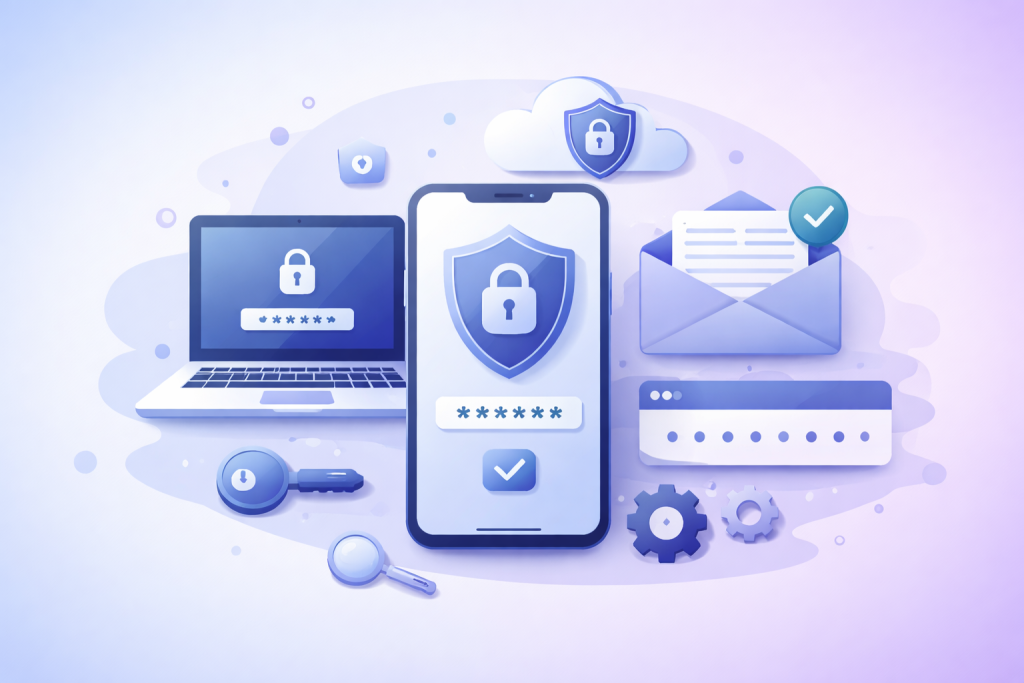
Strong, unique passwords form the bedrock of your online security. Consider your password a key to a digital vault. A weak key invites intruders. Reusing the same key for multiple vaults means one compromise opens them all.
Contents
- 0.1 The Problem with Weak and Reused Passwords
- 0.2 How Password Managers Function
- 0.3 Enhanced Password Strength and Uniqueness
- 0.4 Protection Against Common Cyber Threats
- 0.5 Convenience and Efficiency
- 0.6 Key Features to Look For
- 0.7 Evaluating Security and Trust
- 0.8 How 2FA Works
- 0.9 Integrating 2FA with Password Managers
- 0.10 Spreading Awareness and Best Practices
- 1 FAQs
- 1.1 What is the importance of using strong, unique passwords for online security?
- 1.2 What are the risks of using the same password across multiple accounts?
- 1.3 How do password managers work to protect your information?
- 1.4 What are the benefits of using a password manager for online security?
- 1.5 How can password managers help prevent phishing and identity theft?
The Problem with Weak and Reused Passwords
Many individuals create passwords that are easy to guess. Common choices include birth dates, pet names, or simple sequences like “123456.” These offer little resistance to automated attacks.
Password reuse is a significant vulnerability. Imagine having one key for your house, car, and office. If a thief obtains that single key, all your possessions are exposed. In the digital realm, once attackers gain a password from one compromised service, they will often try that same login on numerous other popular websites. This practice, known as credential stuffing, is highly effective against users who reuse credentials. The consequence can range from minor inconvenience to severe financial loss and identity theft.
A password manager is a software application designed to store and manage your digital credentials. Think of it as a highly secure, encrypted digital safe for all your passwords. Instead of remembering dozens of complex, unique passwords, you only need to remember one strong master password to unlock the manager.
How Password Managers Function
When you use a password manager, it typically creates and stores unique, complex passwords for each of your online accounts. When you visit a website requiring a login, the password manager can automatically fill in your username and password. This process bypasses the need for you to type them, reducing the risk of keyloggers.
The stored passwords are encrypted using strong cryptographic algorithms. This encryption means that even if a malicious actor gains access to your password manager’s data file, without your master password, the stored information remains unreadable. Most password managers also offer features like secure notes, credit card storage, and even two-factor authentication (2FA) integration.
Employing a password manager offers substantial benefits for your online security. It streamlines your digital life while enhancing protection.
Enhanced Password Strength and Uniqueness
Password managers excel at generating long, random, and unique passwords. These passwords are practically impossible for humans to memorize but trivial for the manager to recall and deploy. By using a password manager, you eliminate the temptation to create simple, easy-to-remember, and therefore weak, passwords. Each of your accounts receives its own impenetrable combination.
Protection Against Common Cyber Threats
Password managers mitigate several common attack vectors. Because they auto-fill credentials only on legitimate websites, they provide a defense against phishing. If you land on a fake website designed to steal your credentials, your password manager will not auto-fill, alerting you to a potential threat. They also reduce the risk of keylogging, as you are not manually typing your passwords.
Convenience and Efficiency
Beyond security, password managers offer convenience. No longer will you struggle to remember obscure passwords or reset forgotten ones. The auto-fill feature saves time and frustration, particularly for users with many online accounts. Syncing capabilities allow you to access your passwords across multiple devices, ensuring a consistent and secure experience whether you are on your laptop, tablet, or smartphone.
The market offers several reputable password manager options. Choosing the right one requires considering your specific needs and priorities.
Key Features to Look For
When evaluating password managers, consider features such as end-to-end encryption, multi-device syncing, a built-in password generator, clear and transparent security audits, and reliable customer support. Look for options that offer emergency access features, allowing a trusted individual to access your vault in unforeseen circumstances. Offline access to your passwords is also a valuable feature, ensuring you can log in even without an internet connection.
Evaluating Security and Trust
The security of your chosen password manager is paramount. Investigate the company’s track record for security breaches and their response to such incidents. Many reputable password managers are open about their security practices and subject their software to regular third-party security audits. Reading independent reviews and expert analyses can offer more details about a manager’s reliability. Avoid any solution that requires storing your master password on their servers or offers “password recovery” services that bypass it, as these often indicate a less secure design.
Two-factor authentication adds an indispensable layer of security. Imagine your password as the first lock on your digital door. 2FA is a second, independent lock. Even if an attacker somehow obtains your password, they would still need this second factor to gain access.
How 2FA Works
2FA typically involves something you know (your password) and something you have (a code from your phone, a physical security key, or a biometric scan). Common forms of 2FA include codes sent via SMS, passwords generated by authenticator apps (like Google Authenticator or Authy), or physical FIDO U2F keys. When logging in to an account with 2FA enabled, after entering your password, you will be prompted to provide this second factor. This extra step significantly complicates unauthorized access.
Integrating 2FA with Password Managers
Many password managers integrate 2FA functionality. Some can generate Time-based One-Time Passwords (TOTP) directly within the manager, reducing the need for a separate authenticator app. Others support hardware security keys. Enabling 2FA on your password manager itself is crucial; it means that even if someone manages to guess your master password, they would still need your second factor to unlock your password vault.
The effectiveness of strong online security practices grows with wider adoption. Encouraging others to use password managers and adopt 2FA benefits the entire digital ecosystem.
Spreading Awareness and Best Practices
Explain the simplicity and security benefits of password managers. Many users resist adopting them due to perceived complexity or concerns about trusting a third-party application with their passwords. Highlight the convenience and the fact that most reputable password managers use client-side encryption, meaning only you can decrypt your vault.
Demonstrate how a password manager works, showing the ease of generating and auto-filling credentials. Share resources and tutorials. Emphasize that digital security is a shared responsibility. The more people who practice good password hygiene, the fewer opportunities there are for cybercriminals to exploit weak links. Encourage friends, family, and colleagues to enable 2FA on all their critical accounts, explaining that it is a small effort for significant protection. The cumulative effect of these practices can raise the overall security posture of the internet, making it a safer place for everyone.
FAQs
What is the importance of using strong, unique passwords for online security?
Using strong, unique passwords is crucial for online security because it makes it more difficult for hackers to gain unauthorized access to your accounts. Strong passwords typically include a combination of letters, numbers, and special characters, and using unique passwords for each account reduces the risk of multiple accounts being compromised if one password is exposed.
What are the risks of using the same password across multiple accounts?
Using the same password across multiple accounts increases the risk of a security breach, as a hacker who gains access to one account can potentially access all of your other accounts. This practice also makes it easier for cybercriminals to steal personal information and commit identity theft.
How do password managers work to protect your information?
Password managers work by securely storing and encrypting your passwords, making it easier to manage and access them across different devices. They also generate strong, unique passwords for each account and automatically fill in login credentials, reducing the risk of phishing attacks and unauthorized access.
What are the benefits of using a password manager for online security?
Using a password manager can help improve online security by simplifying the process of creating and managing strong, unique passwords. It also reduces the risk of security breaches, identity theft, and phishing attacks, and it provides a convenient way to securely store and access login credentials.
How can password managers help prevent phishing and identity theft?
Password managers can help prevent phishing and identity theft by automatically filling in login credentials only on legitimate websites, reducing the risk of falling for phishing scams. Additionally, using unique passwords for each account makes it more difficult for cybercriminals to steal personal information and commit identity theft.

Sarah Khan is a technology enthusiast and the admin of ProTechTuto. Her goal is to provide clear, practical, and easy-to-understand tech guides for beginners, helping them build strong digital skills with confidence.