
Online Privacy: What You Need to Know to Stay Safe Online
Online privacy refers to the degree of control individuals have over their personal information when they are online. In today’s interconnected world, where daily life is increasingly mediated by digital technologies, understanding and protecting online privacy is essential. This article will explore the multifaceted nature of online privacy, outlining its importance, the threats it faces, and practical steps individuals can take to safeguard their digital presence.
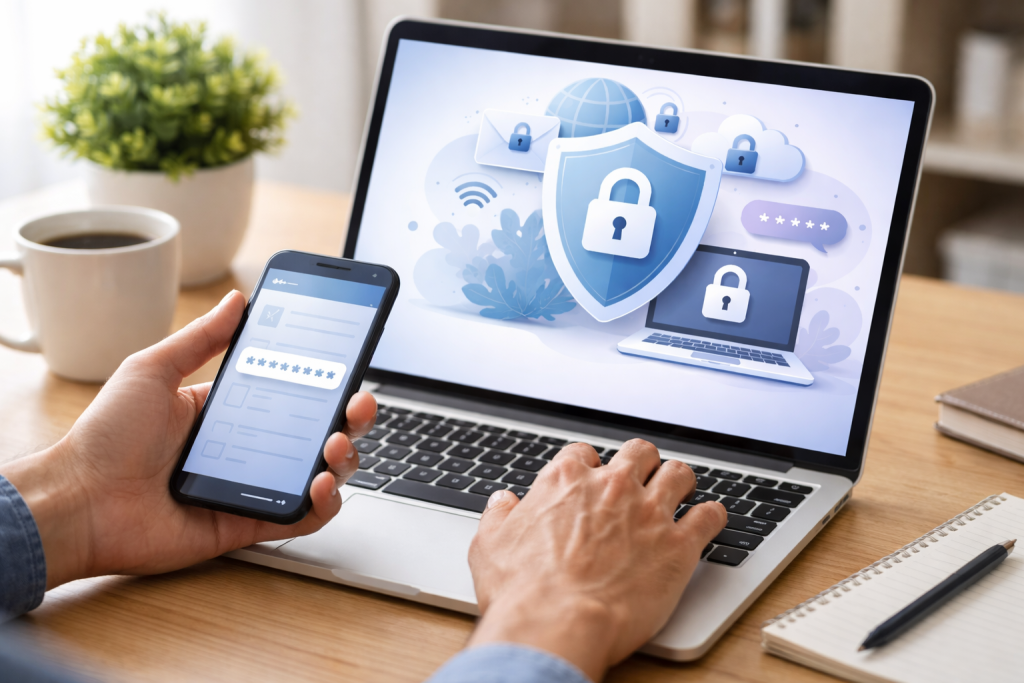
Online privacy is not just about hiding secrets; it’s about autonomy and control. Imagine your personal information as a digital footprint, a trail of breadcrumbs left behind with every click, search, and interaction. Without proper protection, this footprint can be followed, analyzed, and exploited.
Contents
- 0.1 Personal Autonomy and Freedom of Expression
- 0.2 Protection Against Discrimination and Exploitation
- 0.3 Maintaining Trust in Digital Services
- 0.4 Data Collection and Tracking
- 0.5 Malware and Hacking
- 0.6 Insecure Network Connections
- 0.7 Practice Good Digital Hygiene
- 0.8 Secure Your Devices and Accounts
- 0.9 Be Cautious with Public Wi-Fi
- 0.10 User-Generated Content and Data Collection
- 0.11 Privacy Settings: How to Use Them Effectively
- 0.12 The Impact of Data Breaches on Online Privacy
- 0.13 Complexity and Uniqueness as Pillars of Strength
- 0.14 The Risk of Password Reuse
- 0.15 Common Scam Tactics
- 0.16 Red Flags to Watch For
- 0.17 Encrypting Your Internet Traffic
- 0.18 Masking Your IP Address
- 0.19 Choosing a Reputable VPN Provider
- 0.20 Making Informed Choices
- 0.21 Adjusting Settings and Habits
- 1 FAQs
Personal Autonomy and Freedom of Expression
The ability to express oneself freely and explore ideas without fear of surveillance or judgment is a cornerstone of a democratic society. When individuals believe their online activities are being monitored, it can lead to self-censorship, chilling free speech and limiting discourse. Online privacy acts as a shield, allowing for the unfettered exchange of thoughts and opinions.
Protection Against Discrimination and Exploitation
Your personal data, when aggregated and analyzed, can paint a detailed picture of your life, including your habits, preferences, financial status, and even your health. This information, if it falls into the wrong hands, can be used for discriminatory purposes. For example, it could influence insurance rates, loan eligibility, or even job opportunities. Exploitative actors may leverage this data for targeted scams or to manipulate vulnerable individuals.
Maintaining Trust in Digital Services
The digital economy relies heavily on trust. Users share information with online services under the assumption that it will be handled responsibly and securely. A breakdown in online privacy erodes this trust, making individuals hesitant to engage with online platforms, which can have significant economic and social consequences.
The digital landscape is rife with potential pitfalls when it comes to privacy. Understanding these threats is the first step to mitigating them.
Data Collection and Tracking
Almost every online interaction generates data. Websites, apps, and online services collect vast amounts of information about users, often without their explicit or fully informed consent. This can include browsing history, search queries, location data, and demographic information. This data is then used for various purposes, from targeted advertising to research and development, but it also creates a detailed profile of your online life.
Third-Party Trackers
Beyond the websites and apps you directly interact with, third-party trackers are embedded on many sites to monitor your behavior across different platforms. These entities build comprehensive profiles of your online activities, which can be sold to advertisers or other data brokers.
Website and App Permissions
When you download an app or visit a website, you are often prompted to grant permissions for access to your contacts, location, camera, or microphone. While some of these permissions are necessary for the service to function, others may be unnecessarily broad and can lead to excessive data collection.
Malware and Hacking
Malicious software, such as viruses, spyware, and ransomware, poses a direct threat to your privacy by compromising your devices and stealing your personal information. Hackers can exploit vulnerabilities in software or trick users into revealing sensitive data, leading to identity theft and financial loss.
Phishing Attacks
Phishing is a common tactic where attackers impersonate trusted entities (like banks or social media companies) through emails or messages, attempting to trick you into divulging personal information such as passwords or credit card numbers.
Man-in-the-Middle Attacks
These attacks occur when an attacker secretly intercepts and relays communication between two parties, potentially gaining access to sensitive data being exchanged.
Insecure Network Connections
Using public Wi-Fi networks, such as those found in coffee shops or airports, can be convenient, but they often lack robust security measures. This can make your data vulnerable to interception by others on the same network.
Taking proactive steps can significantly enhance your online privacy. Think of these tips as building stronger locks on your digital doors.
Practice Good Digital Hygiene
This involves adopting mindful habits when interacting with the digital world. Treat your personal information with the same care you would your physical belongings.
Before posting personal information, photos, or opinions online, consider who might see it and how it could be used. Once something is online, it can be difficult to fully remove.
Review App Permissions Regularly
Periodically check the permissions granted to your installed applications. If an app requests access to information it doesn’t clearly need, consider revoking that permission or uninstalling the app.
Limit Location Sharing
Disable location services on your devices when they are not needed. Many apps request continuous access to your location, which can create a detailed record of your movements.
Secure Your Devices and Accounts
Your devices and online accounts are the gateways to your digital life. Ensuring they are well-protected is paramount.
Use Strong, Unique Passwords
A strong password is not easily guessed. It should be a combination of uppercase and lowercase letters, numbers, and symbols, and it should be unique to each account. Avoid using personal information like birthdays or names. Employ a password manager to generate and store these complex passwords securely.
Enable Two-Factor Authentication (2FA)
Two-factor authentication adds an extra layer of security by requiring more than just a password to log in. It typically involves a code sent to your phone or generated by an authenticator app, making it much harder for unauthorized individuals to access your accounts.
Be Cautious with Public Wi-Fi
When using public Wi-Fi, avoid accessing sensitive accounts like banking or online shopping. If you must use public Wi-Fi for sensitive tasks, consider using a Virtual Private Network (VPN).
Social media platforms, while offering avenues for connection and sharing, also present significant challenges to online privacy. They are like bustling public squares where everyone can see and hear you, but with the added complication of companies collecting extensive data about your interactions.
User-Generated Content and Data Collection
The content you post on social media, from photos and videos to comments and likes, is collected and analyzed by the platforms. This data is used to personalize your experience, target advertisements, and for other business purposes. The vast amounts of personal data shared on these platforms can be fertile ground for data breaches.
Privacy Settings: How to Use Them Effectively
Most social media platforms offer a range of privacy settings designed to control who sees your content and how your data is used. Understanding and actively managing these settings is crucial.
Controlling Audience for Posts
You can typically set the audience for each post you make, choosing whether it’s visible to all your friends, specific groups of friends, or just yourself. Regularly review these settings to ensure they align with your current privacy preferences.
Managing Tagging and Location Information
Be mindful of how you are tagged in photos and posts by others. Many platforms allow you to review and approve tags before they appear on your profile. Also, consider disabling automatic location tagging for your posts.
Understanding Data Sharing Policies
Familiarize yourself with the privacy policies of the social media platforms you use. While often lengthy and complex, they outline how your data is collected, used, and shared.
The Impact of Data Breaches on Online Privacy
Data breaches are increasingly common and can have severe consequences for your online privacy. Imagine a situation where a vault containing your most valuable possessions is broken into; that’s akin to a data breach.
Identity Theft and Financial Fraud
When personal information like names, addresses, social security numbers, and financial details are exposed in a data breach, it can be used for identity theft, opening fraudulent accounts, or making unauthorized purchases.
Reputational Damage
The exposure of personal information, particularly sensitive or embarrassing details, can lead to significant reputational damage, impacting personal relationships and professional opportunities.
Long-Term Consequences
Even after a breach, the exposed data can remain in circulation for a long time, posing ongoing risks to your privacy. It requires constant vigilance to monitor for potential misuse.
As mentioned earlier, strong passwords are a fundamental layer of defense. They are the first line of security for your online accounts.
Complexity and Uniqueness as Pillars of Strength
A password’s strength is derived from its complexity and uniqueness. A password like “password123” is easily broken by automated tools. However, a password such as “Tr33H0us3!$F*n” is significantly more challenging to crack. Using a unique password for each online service prevents a single breach from compromising multiple accounts.
The Risk of Password Reuse
Reusing the same password across multiple platforms is a critical security flaw. If one of those platforms experiences a data breach, and your password is revealed, attackers can then attempt to use that same password to access your other accounts, a process known as credential stuffing.
Scammers are constantly evolving their tactics to trick unsuspecting individuals. Being able to identify these schemes is crucial for protecting your privacy and finances.
Common Scam Tactics
Scammers often prey on people’s emotions, such as fear, greed, or urgency. They may impersonate legitimate organizations or individuals to gain trust.
Phishing and Vishing
Phishing emails and texts are common, but “vishing” (voice phishing) involves scammers calling you, often pretending to be from a bank or government agency, to solicit personal information.
Fake Lottery Winnings or Inheritance Claims
These scams often require you to pay a fee upfront to receive a large sum of money you have supposedly won or inherited.
Technical Support Scams
Scammers may claim your computer has a virus and offer to fix it for a fee, often gaining remote access to your device and stealing your data.
Red Flags to Watch For
Being aware of common warning signs can help you avoid falling victim to a scam.
Unsolicited Contact
Be suspicious of any unexpected emails, calls, or messages asking for personal information.
Requests for Upfront Payment
Legitimate organizations rarely ask for payment to release funds or services.
Sense of Urgency or Threats
Scammers often try to pressure you into acting quickly by making threats or promising limited-time offers.
Virtual Private Networks (VPNs) can be a valuable tool for enhancing online privacy. They act as a secure tunnel for your internet traffic.
Encrypting Your Internet Traffic
A VPN encrypts your internet connection, making your online activity unreadable to anyone who might intercept it, including your Internet Service Provider (ISP) or malicious actors on public Wi-Fi.
Masking Your IP Address
When you use a VPN, your real IP address is replaced with the IP address of the VPN server you connect to. This makes it harder for websites and online services to track your location and browsing habits.
Choosing a Reputable VPN Provider
It’s important to select a VPN provider that has a strong privacy policy and a commitment to not logging your online activity. Research different providers and their security practices.
The modern digital landscape often presents a trade-off between convenience and privacy. Many services offer enhanced convenience features that come at the cost of increased data collection.
Making Informed Choices
Understanding the implications of the services you use is key. While it might be convenient to have your location shared automatically, consider the privacy trade-offs involved.
Adjusting Settings and Habits
Regularly reviewing and adjusting privacy settings on your devices and online accounts can help you strike a better balance. Small changes in your online habits can also contribute significantly to maintaining your privacy. The digital world is constantly evolving, and staying informed about emerging threats and best practices is an ongoing process. By understanding the importance of online privacy, recognizing the threats, and implementing protective measures, you can navigate the digital landscape more safely and confidently.
FAQs
1. What are some common threats to online privacy?
Some common threats to online privacy include phishing scams, malware, data breaches, and unauthorized access to personal information.
2. How can I protect my online privacy?
You can protect your online privacy by using strong, unique passwords, being cautious about the information you share online, using privacy settings effectively, avoiding suspicious links and emails, and considering the use of a VPN for added security.
Social media can impact online privacy by allowing for the sharing of personal information, potential exposure to scams and phishing attempts, and the collection of user data for targeted advertising.
4. How do data breaches impact online privacy?
Data breaches can compromise online privacy by exposing sensitive personal information, such as usernames, passwords, and financial data, to unauthorized individuals or cybercriminals.
5. How can I recognize and avoid online scams?
You can recognize and avoid online scams by being cautious of unsolicited emails or messages, verifying the legitimacy of websites before entering personal information, and avoiding offers that seem too good to be true.

Sarah Khan is a technology enthusiast and the admin of ProTechTuto. Her goal is to provide clear, practical, and easy-to-understand tech guides for beginners, helping them build strong digital skills with confidence.