
Protect Yourself: The Ultimate Guide to Safe Internet Browsing
The internet, a vast network of information and connections, also presents various risks. Understanding these dangers and implementing protective measures is crucial for safe online navigation. This guide outlines common threats, essential tools, and practical tips to safeguard your digital presence.
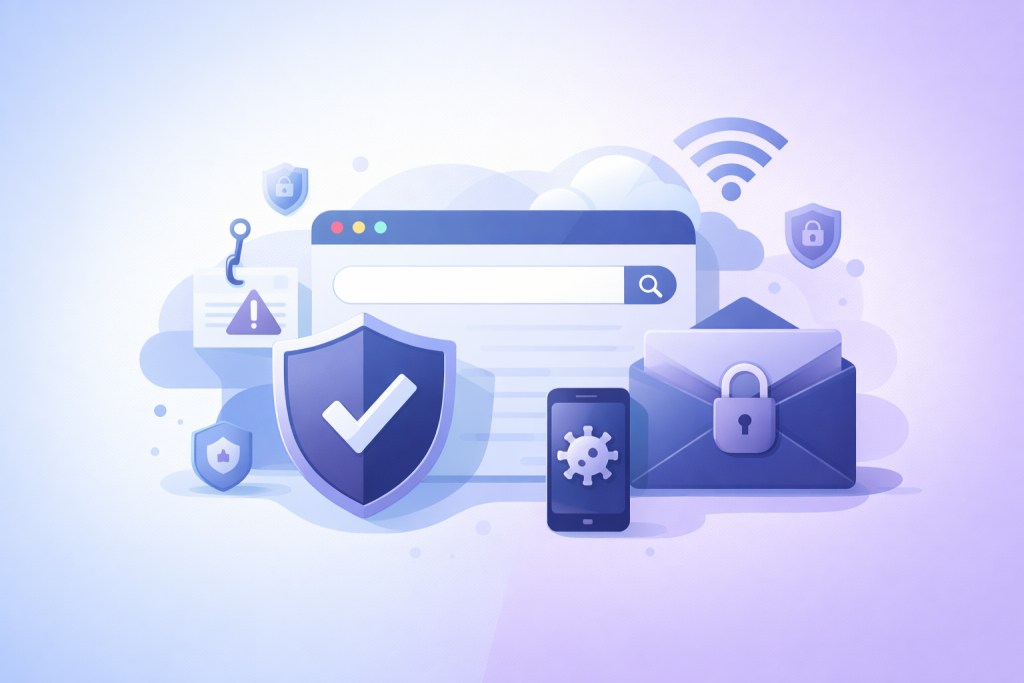
The digital landscape contains numerous threats that can compromise personal information, financial security, and device integrity. Recognizing these risks is the first step toward defense.
Contents
- 0.1 Common Threats to Internet Security
- 0.2 How to Choose the Best Antivirus and Firewall Software
- 0.3 Tips for Protecting Your Personal Information Online
- 0.4 Secure Passwords: Creating and Managing Strong, Unique Passwords
- 0.5 Phishing and Scams: How to Spot and Avoid Online Fraud
- 0.6 Public Wi-Fi: Staying Safe on Unsecured Networks
- 0.7 Social Media Safety: Protecting Your Privacy and Security on Social Platforms
- 0.8 Safe Online Shopping: Tips for Secure Transactions and Protecting Your Financial Information
- 0.9 Parental Controls: Keeping Kids Safe Online
- 0.10 Cybersecurity Best Practices: Proactive Steps for Protecting Yourself Online
- 1 FAQs
- 1.1 1. What are the common threats to internet security that users should be aware of?
- 1.2 2. How can I choose the best antivirus and firewall software to protect my devices?
- 1.3 3. What are some tips for protecting personal information while surfing the internet?
- 1.4 4. How can I create and manage strong, unique passwords for my online accounts?
- 1.5 5. What are some tips for staying safe while shopping online and protecting financial information?
Common Threats to Internet Security
Malware, a broad term for malicious software, encompasses viruses, worms, Trojans, ransomware, and spyware. Executing legitimate programs allows viruses to attach and spread. Worms replicate themselves and spread across networks without human intervention. Trojans disguise themselves as legitimate software but carry malicious payloads, such as backdoors or data thieves. Ransomware encrypts user data and demands payment for its release, effectively holding information hostage. Spyware secretly monitors user activity and collects personal information.
Phishing is a deceptive practice where attackers attempt to acquire sensitive information, such as usernames, passwords, and credit card details, by masquerading as a trustworthy entity in an electronic communication. These communications often mimic legitimate emails or websites, employing social engineering tactics to trick users. Spear phishing is a more targeted form, focusing on specific individuals or organizations. Vishing (voice phishing) uses phone calls, and smishing (SMS phishing) uses text messages.
Denial-of-service (DoS) attacks aim to make a machine or network resource unavailable to its intended users by temporarily or indefinitely disrupting services of a host connected to the internet. Distributed denial-of-service (DDoS) attacks use multiple compromised computer systems as sources of attack traffic. These attacks overwhelm the target system with traffic, preventing legitimate users from accessing it.
Man-in-the-middle (MitM) attacks occur when an attacker intercepts communication between two parties who believe they are communicating directly with each other. The attacker can then eavesdrop on or alter the communication. This often happens on unsecured public Wi-Fi networks where the attacker can position themselves between your device and the internet.
Zero-day exploits are attacks that take advantage of a software vulnerability previously unknown to the software developer. Because the developer is unaware of the vulnerability, they have not yet created a patch to fix it, leaving users exposed. These exploits are particularly dangerous because there is no immediate defense.
Just as you lock your doors and windows to protect your home, digital security requires its own defensive mechanisms. Software tools form the first line of defense against many online threats.
How to Choose the Best Antivirus and Firewall Software
Antivirus software detects, prevents, and removes malicious software from your computer. When selecting an antivirus program, consider its detection rates, which indicate how effectively it identifies threats. Look for features like real-time scanning, which continuously monitors your system for threats, and automatic updates, ensuring your software has the latest virus definitions. Some antivirus suites include additional tools like password managers and VPNs. Review independent testing results from organizations like AV-Comparatives or AV-TEST for objective evaluations. Free antivirus options exist, but paid versions often offer more comprehensive protection and features.
A firewall acts as a barrier between your computer network and external networks, controlling incoming and outgoing network traffic based on predefined security rules. It monitors network activity and blocks unauthorized access attempts. Operating systems typically include built-in firewalls, which you should ensure are active. Third-party firewalls can offer more advanced features, such as application control, which allows you to specify which programs can access the internet. A firewall is like a digital gatekeeper, only allowing approved traffic to pass.
Beyond software, your habits and decisions online significantly impact your security. Practicing safe surfing is about making informed choices.
Tips for Protecting Your Personal Information Online
Be mindful of the information you share online. Every piece of data you voluntarily provide, whether on social media, websites, or online forms, becomes part of your digital footprint. Once information is online, it is difficult to remove. Think before you post or input sensitive details.
Exercise caution with downloads. Software from untrusted sources can contain malware, even if it appears to be legitimate. Stick to official app stores and reputable websites for software downloads. Before opening attachments in emails, especially from unknown senders, verify their legitimacy. Malicious attachments are a common vector for malware delivery.
When browsing, pay attention to website addresses. Look for “https://” at the beginning of the URL, indicating a secure connection where data exchanged is encrypted. A padlock icon in the browser’s address bar also signifies a secure site. Be wary of websites with unusual spellings or those that look unprofessional, as these can be phishing sites.
Regularly update your operating system and all software applications. Software developers release updates to fix bugs and patch security vulnerabilities. Running outdated software leaves you exposed to known exploits. Treat these updates as essential maintenance for your digital tools.
Secure Passwords: Creating and Managing Strong, Unique Passwords
Your passwords are the keys to your digital life. Weak or reused passwords leave your accounts vulnerable. A strong password should be long and combine uppercase and lowercase letters, numbers, and symbols. Avoid using easily guessable information like birthdays, names, or common words. Instead of creating complex passwords that are difficult to remember, consider using a passphrase, which is a sequence of unrelated words. For example, “TeapotJumpingGreenUmbrella” is easier to remember than “TjGu#8!z” but equally strong.
Using unique passwords for each online account is crucial. If an attacker compromises one account with a reused password, they gain access to all accounts that share that password. This is analogous to having one key for your home, car, and office—if that key is lost, everything is compromised.
Password managers are indispensable tools for generating and storing strong, unique passwords. They encrypt and store your passwords securely, requiring you to remember only one master password. Many browsers offer built-in password managers, but dedicated third-party applications often provide more features and cross-device synchronization. Enable two-factor authentication (2FA) whenever possible. This adds an extra layer of security by requiring a second verification method, such as a code sent to your phone, in addition to your password. Even if an attacker obtains your password, they cannot access your account without this second factor.
Different online environments present unique security considerations. Understanding these specifics helps you tailor your protective measures.
Phishing and Scams: How to Spot and Avoid Online Fraud
Phishing attempts often rely on urgency, fear, or promises of rewards to prompt you into action. Be skeptical of unsolicited emails or messages that demand immediate responses, threaten account closure, or offer improbable winnings. Look for red flags such as generic greetings, grammatical errors, misspellings, and suspicious links. Hover over links to reveal the actual URL before clicking. If an email claims to be from a reputable company, instead of clicking links in the email, navigate directly to the company’s official website by typing its URL into your browser.
Various online scams exist beyond phishing. “Tech support scams” involve callers or pop-ups pretending to be from a reputable tech company, claiming your computer is infected, and demanding payment for unnecessary services. “Romance scams” involve fraudsters building emotional connections to extract money. “Advance-fee scams” promise a large sum of money in exchange for a smaller upfront payment. Always verify the legitimacy of requests for money or personal information, especially from unknown sources. When in doubt, a critical eye and a healthy dose of skepticism are your best defense.
Public Wi-Fi: Staying Safe on Unsecured Networks
Public Wi-Fi networks pose significant risks because they often lack encryption, making your data vulnerable to interception by others on the same network. Avoid conducting sensitive activities like online banking, shopping, or accessing confidential work information on public Wi-Fi.
If you must use public Wi-Fi, employing a Virtual Private Network (VPN) is essential. A VPN encrypts your internet traffic, creating a secure tunnel between your device and a VPN server. This cloaks your online activities from potential eavesdroppers on the public network. Think of a VPN as putting your data in a secure, opaque envelope that passes through a public post office; no one can see what’s inside. Disable file sharing when connected to public Wi-Fi to prevent unauthorized access to your devices. Also, consider turning off automatic Wi-Fi connection features to prevent your device from connecting to potentially malicious networks without your consent.
Social Media Safety: Protecting Your Privacy and Security on Social Platforms
Social media platforms are designed for sharing, but excessive sharing can compromise your privacy and security. Review and adjust your privacy settings regularly. Limit who can see your posts, photos, and personal information. Treat social media as a public forum, even with strict privacy settings, because information can still be shared beyond your control.
Be cautious about clicking on suspicious links or downloading attachments from unknown sources within social media messages. These can lead to malware or phishing sites. Be wary of quizzes, polls, and applications that request access to excessive personal data, as this information can be harvested and misused.
Avoid oversharing personal details that could aid identity theft, such as your full birthdate, home address, or specific travel plans. Geotagging photos can inadvertently reveal your location. Consider disabling location services for social media apps. Be mindful of “deepfake” technology and misinformation, which can manipulate images and videos, making it difficult to discern truth from fabrication. Verify information from multiple reputable sources before believing or sharing it.
Cybersecurity isn’t a one-time setup; it’s an ongoing process. Regular maintenance and informed decisions are key to sustained protection.
Safe Online Shopping: Tips for Secure Transactions and Protecting Your Financial Information
When shopping online, stick to reputable retailers. Look for the “https://” in the website address and the padlock icon before entering payment information. These indicators mean the connection is secure and your data is encrypted during transmission. Be cautious of unsolicited emails offering too-good-to-be-true deals, as these often lead to fraudulent sites.
Use strong, unique passwords for your online shopping accounts. Consider using a credit card rather than a debit card for online purchases, as credit cards generally offer better fraud protection and easier dispute resolution. Regularly check your bank and credit card statements for any unauthorized transactions. If you notice anything suspicious, report it immediately to your financial institution. Avoid saving your credit card details on merchant websites unless absolutely necessary and if the site has a proven track record of security.
Parental Controls: Keeping Kids Safe Online
For families with children, implementing parental controls is an important step. These tools allow parents to filter content, limit screen time, and monitor online activity. Most operating systems, web browsers, and internet service providers offer built-in parental control features. Third-party software can provide more advanced options.
Educate children about internet safety. Teach them not to share personal information with strangers online, not to click on suspicious links, and to report anything that makes them uncomfortable. Emphasize the importance of critical thinking when interacting with online content and people. Establish clear rules for online behavior and device usage. Open communication about online experiences helps build trust and allows children to seek guidance when encountering issues.
Cybersecurity Best Practices: Proactive Steps for Protecting Yourself Online
Regular data backups are a critical safeguard. Should your computer become infected with ransomware or suffer a hardware failure, a recent backup ensures you can restore your files and minimize data loss. Store backups on external drives or cloud services, and ensure they are tested periodically.
Stay informed about the latest cybersecurity threats and best practices. Follow reputable cybersecurity news sources and government advisories. Awareness is a powerful defense. Just as you adapt to changes in the physical world, so too must your digital defenses evolve.
Be wary of what you connect to your devices. USB drives from unknown sources can harbor malware. Avoid charging your devices at public charging stations (“juice jacking”), as these can be compromised to extract data or install malicious software. Use your own power adapter and outlet.
Finally, cultivate a habit of critical thinking online. Question unsolicited requests, improbable offers, and information that seems too good or too bad to be true. Your judgment is a vital layer of security. By combining robust tools with informed habits, you can navigate the internet with greater confidence and significantly reduce your exposure to risks.
FAQs
1. What are the common threats to internet security that users should be aware of?
Common threats to internet security include malware, phishing scams, identity theft, and data breaches. It’s important for users to understand these risks in order to protect themselves while browsing the internet.
2. How can I choose the best antivirus and firewall software to protect my devices?
When choosing antivirus and firewall software, consider factors such as the software’s reputation, features, ease of use, and compatibility with your devices. Look for reputable brands and read reviews to make an informed decision.
3. What are some tips for protecting personal information while surfing the internet?
To protect personal information online, users should use secure websites (look for “https” in the URL), avoid sharing sensitive information on public Wi-Fi networks, and be cautious about the information they share on social media platforms.
4. How can I create and manage strong, unique passwords for my online accounts?
To create strong passwords, use a combination of letters, numbers, and special characters. It’s also important to use unique passwords for each online account and consider using a reputable password manager to help manage them securely.
5. What are some tips for staying safe while shopping online and protecting financial information?
When shopping online, users should only use secure and reputable websites, avoid making purchases over public Wi-Fi networks, and regularly monitor their financial accounts for any unauthorized activity. Additionally, using secure payment methods such as credit cards or digital wallets can add an extra layer of protection.

Sarah Khan is a technology enthusiast and the admin of ProTechTuto. Her goal is to provide clear, practical, and easy-to-understand tech guides for beginners, helping them build strong digital skills with confidence.