
Streamline Your Productivity: A Step-by-Step Guide to Task Manager for Beginners
Task managers are digital tools designed to help individuals and teams organize, prioritize, and track their work. They provide a structured environment for managing various tasks, from simple daily reminders to complex project workflows. Understanding and effectively utilizing a task manager can significantly improve personal and professional productivity.
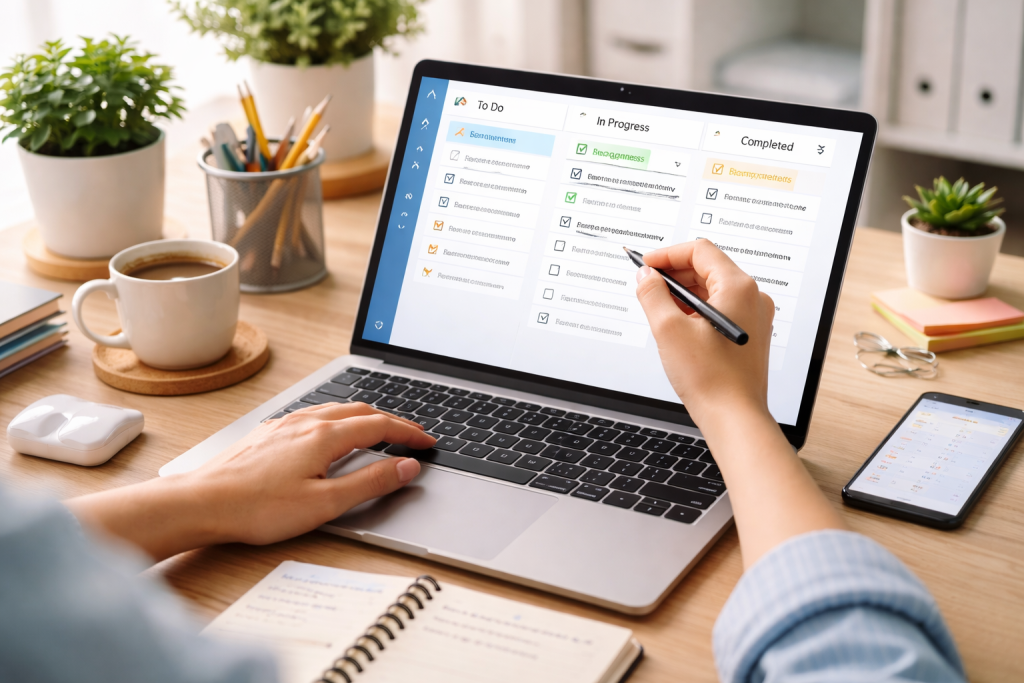
Task management is the process of handling all aspects of a task, from its conception to its completion. This involves defining the task, breaking it into smaller steps, assigning resources, setting deadlines, and monitoring progress. Effective task management ensures that work is completed efficiently and on time.
Contents
- 0.1 Defining a Task
- 0.2 The Importance of Prioritization
- 0.3 Breaking Down Complex Tasks
- 0.4 Assessing Your Requirements
- 0.5 Common Task Manager Features
- 0.6 Free vs. Paid Options
- 0.7 Customizing Settings and Notifications
- 0.8 Establishing Project Structures
- 0.9 Creating Templates for Recurring Tasks
- 0.10 Utilizing Labels, Tags, and Categories
- 0.11 Implementing Due Dates and Reminders
- 0.12 The Power of Batching Similar Tasks
- 0.13 Sub-Tasks and Checklists for Granularity
- 0.14 Recurring Tasks for Automation
- 0.15 Integrations with Other Tools
- 0.16 File Attachments and Notes
- 0.17 Morning Review and Planning
- 0.18 Mid-Day Adjustments
- 0.19 End-of-Day Review and Preparation
- 0.20 Task Assignment and Delegation
- 0.21 Comments and Communication within Tasks
- 0.22 Shared Projects and Workspaces
- 0.23 Utilizing Progress Tracking Features
- 0.24 Analyzing Productivity Patterns
- 0.25 Identifying Bottlenecks and Delays
- 0.26 Overwhelmed by Too Many Tasks
- 0.27 Forgetting to Use the Task Manager
- 0.28 Data Synchronization Problems
- 0.29 Regular Review and Cleanup
- 0.30 Adapting to Changing Needs
- 0.31 Continuous Learning and Exploration
- 1 FAQs
- 1.1 What is task management, and why is it important for productivity?
- 1.2 What are the key features to look for when choosing a task manager?
- 1.3 How can I set up my task manager for optimal productivity?
- 1.4 What are some effective ways to organize tasks and prioritize them within a task manager?
- 1.5 How can I troubleshoot common task manager issues and sustain long-term productivity with a task manager?
Defining a Task
A task is a specific piece of work that needs to be accomplished within a certain timeframe. Clearly defining a task is the first step toward its successful completion. This involves understanding its objective, scope, and desired outcome. Vague tasks are difficult to manage and often lead to delays or incomplete work. Think of it like assembling furniture: you need clear instructions and a list of parts, not just a picture of the finished product.
The Importance of Prioritization
Prioritization involves ranking tasks based on their urgency and importance. Not all tasks hold equal weight. By addressing critical tasks first, effective prioritization prevents bottlenecks and missed deadlines. Tools like the Eisenhower Matrix (urgent/important, urgent/not important, not urgent/important, not urgent/not important) can aid in this process. Without prioritization, you’re attempting to manage multiple tasks at once, which inevitably results in the neglect of many.
Breaking Down Complex Tasks
Large, complex tasks can be intimidating and difficult to start. Breaking it down into smaller, manageable subtasks makes the overall process less daunting and easier to track. Each sub-task should have its own objective and deadline. This approach transforms a daunting task into a series of manageable tasks, each attainable independently.
The market offers a wide array of task management tools, each with different features and interfaces. Selecting the right one depends on your individual or team’s specific requirements, technical proficiency, and budget.
Assessing Your Requirements
Before choosing a task manager, consider what you need it to do. Do you need a simple tool for personal to-do lists or a robust platform for project management with collaboration features? Think about the number of tasks you manage, the complexity of your projects, and whether you work alone or with a team. A single carpenter doesn’t need a massive construction crane, but a large building project certainly does.
Common Task Manager Features
Most task managers offer basic features such as task creation, due dates, reminders, and checklists. More advanced features may include sub-tasks, recurring tasks, priority levels, labels/tags, file attachments, and integration with other applications. Collaboration features, such as task assignment, comments, and real-time updates, are crucial for teams.
Free vs. Paid Options
Many task managers offer free versions with limited features and paid subscriptions for expanded functionality. Free options are suitable for basic personal use. Paid plans often provide more storage, advanced collaboration tools, integrations, and customer support. Evaluate whether the additional features of a paid plan justify the cost for your specific needs.
Once you’ve chosen a task manager, proper setup is crucial for maximizing its effectiveness. This involves customizing settings, creating a logical structure for your tasks, and establishing consistent workflows.
Customizing Settings and Notifications
Tailor your task manager’s settings to your preferences. Adjust notification frequencies, display options, and default task settings. Consistent notifications prevent tasks from being forgotten, but excessive notifications can be distracting. Find a balance that supports your workflow without overwhelming you.
Establishing Project Structures
Organize your tasks within projects or categories. This creates a clear hierarchy and helps you locate specific tasks quickly. For example, you might have projects for “Work,” “Personal,” and “Learning,” with subprojects within each. A well-organized task manager is like a well-indexed library; you can find what you need when you need it.
Creating Templates for Recurring Tasks
If you have tasks that repeat regularly, create templates. This saves time and ensures consistency. For instance, a weekly meeting agenda or a monthly report checklist can be templated. Templates serve as uniform and efficient tools for repetitive tasks.
Effective organization and prioritization are the keystones of productive task management. A cluttered task list is as unhelpful as no task list at all.
Utilizing Labels, Tags, and Categories
Employ labels, tags, or categories to further organize your tasks beyond simple projects. These can be used to denote task types (e.g., “urgent,” “research,” “follow-up”), context (e.g., “computer,” “phone call,” “errands”), or even energy levels required. This allows for flexible filtering and batch processing of similar tasks.
Implementing Due Dates and Reminders
Assign realistic due dates to your tasks. These act as firm deadlines. Couple due dates with reminders to ensure you’re prompted before a task becomes overdue. Be mindful not to set due dates for every minor item, which can lead to calendar fatigue. Reserve them for tasks with genuine time constraints.
The Power of Batching Similar Tasks
Batching involves grouping similar tasks together and completing them at once. For instance, you could respond to all emails at a specific time, make all necessary phone calls consecutively, or dedicate a block of time to administrative duties. This reduces context switching, which is an efficiency drain, making you more productive overall. Think of it like sorting laundry before washing; you don’t wash a single sock, then a single shirt, but rather all your whites,k then all your colors.
Beyond basic task creation, task managers offer advanced features that can significantly boost your efficiency. Explore and master these to get the most out of your chosen tool.
Sub-Tasks and Checklists for Granularity
Break down complex tasks into smaller, actionable sub-tasks using sub-task features. For routine processes, use checklists within a task to ensure every step is completed. This provides a clear roadmap for task completion and minimizes oversight.
Recurring Tasks for Automation
Set up recurring tasks for activities that happen regularly, such as daily check-ins, weekly reports, or monthly bill payments. This automates the creation of these tasks, preventing forgetfulness and minimizing manual entry.
Integrations with Other Tools
Many task managers integrate with other productivity tools like calendars, email clients, and communication platforms. Integrating your task manager can streamline your workflow, centralize information, and prevent data silos. For instance, converting an email into a task straight from your inbox not only saves time but also guarantees the preservation of crucial actions.
File Attachments and Notes
Attach relevant files, documents, or links directly to your tasks. This keeps all necessary information readily accessible when you’re working on a task, eliminating the need to search elsewhere. Use the notes section to add context, instructions, or any other pertinent details.
A task manager is most effective when it becomes an integral part of your daily routine, not an external obligation.
Morning Review and Planning
Start your day by reviewing your task manager. Identify your top priorities, schedule tasks, and allocate time for them. This creates a clear plan for your day and helps you focus your efforts. This morning ritual is like calibrating your compass before a journey.
Mid-Day Adjustments
As your day progresses, new tasks may arise, or existing priorities might shift. Periodically check your task manager and make necessary adjustments. Be flexible and adapt your plan as circumstances change. Don’t be afraid to reroute if the initial path faces unforeseen blockages.
End-of-Day Review and Preparation
Before concluding your workday, review your progress, mark completed tasks, and prepare for the next day. Move unfinished tasks to the next day and note any new tasks that emerged. This nightly sweep cleans your digital desk and sets you up for a fresh start.
For teams, task managers transform into powerful collaboration hubs, ensuring everyone is aligned and accountable.
Task Assignment and Delegation
Assign tasks to specific team members to ensure clear ownership and accountability. Delegation allows for an equitable distribution of work and taps into individual strengths.
Comments and Communication within Tasks
Utilize the comment sections within tasks for all task-related communication. This keeps discussions contextual and prevents important information from being scattered across emails or chat messages. It creates a centralized record of decisions and progress.
Create shared projects or workspaces where team members can view, edit, and contribute to tasks relevant to a specific shared goal. This fosters transparency and ensures everyone is working toward the same objectives.
Regularly tracking your progress offers observations about your productivity and helps identify areas for improvement.
Utilizing Progress Tracking Features
Many task managers offer progress tracking features, such as completion rates, time spent on tasks, or visual dashboards. Use these to monitor overall project health and individual task advancement.
Analyzing Productivity Patterns
Review your completed tasks over time to identify personal productivity patterns. When are you most productive? What types of tasks take longer than expected? This self-analysis helps you optimize your future planning and task allocation.
Identifying Bottlenecks and Delays
By tracking progress, you can quickly identify bottlenecks—where work slows down—or consistent delays in certain types of tasks. This allows you to address underlying issues, improve processes, or reallocate resources.
Even with the best tools, issues can arise. Knowing how to troubleshoot common problems can save time and frustration.
Overwhelmed by Too Many Tasks
If your task list feels unmanageable, it’s a sign to reprioritize. Archive old tasks, delegate where possible, and break large tasks into smaller ones. Focus on the few tasks that will provide the most significant impact.
Forgetting to Use the Task Manager
Consistency is key. If you find yourself forgetting to use your task manager, integrate it more deeply into your daily routine. Set reminders to check it, open it first thing in the morning, or link it to actions you already perform habitually.
Data Synchronization Problems
Ensure your task manager is properly synced across all your devices. Check internet connections, update software, and verify account logins. These basic checks resolve most synchronization issues.
Investing in a task manager enhances your productivity over time. Consistent effort is required to maintain its effectiveness.
Regular Review and Cleanup
Periodically review your entire task manager. Archive old projects, delete irrelevant tasks, and update due dates. A clean and current task manager remains an effective tool, much like regularly sharpening a saw keeps it effective.
Adapting to Changing Needs
Your needs will evolve. Be prepared to adapt your task manager setup and workflow. Explore new features, try different organizational structures, or even consider switching tools if your current one no longer meets your requirements.
Continuous Learning and Exploration
Task managers constantly update their features. Stay informed about new capabilities and explore how they might benefit your workflow. There’s always room to refine your approach and discover more efficient ways of working.
FAQs
What is task management, and why is it important for productivity?
Task management is the process of managing and organizing tasks to achieve specific goals and objectives. It is important for productivity because it helps individuals and teams prioritize, plan, and execute tasks efficiently, leading to better time management and overall productivity.
What are the key features to look for when choosing a task manager?
When choosing a task manager, it’s important to look for features such as task organization, prioritization, deadline tracking, collaboration tools, integration with other apps, and customizable settings to fit your specific needs and workflow.
How can I set up my task manager for optimal productivity?
To set up your task manager for optimal productivity, start by inputting all your tasks, categorizing them, setting deadlines, and prioritizing them. Utilize features such as reminders, recurring tasks, and integrations with other tools to streamline your workflow and stay organized.
What are some effective ways to organize tasks and prioritize them within a task manager?
Effective ways to organize tasks within a task manager include creating categories or projects, using labels or tags, and grouping related tasks together. Prioritizing tasks can be done by setting deadlines, assigning levels of importance, and using features like task dependencies.
How can I troubleshoot common task manager issues and sustain long-term productivity with a task manager?
Common task manager issues such as syncing errors, app crashes, or difficulty with integrations can be troubleshooted by checking for updates, clearing cache, or contacting customer support. To sustain long-term productivity, it’s important to regularly review and update your task manager, adjust your workflow as needed, and seek feedback from team members for continuous improvement.

Sarah Khan is a technology enthusiast and the admin of ProTechTuto. Her goal is to provide clear, practical, and easy-to-understand tech guides for beginners, helping them build strong digital skills with confidence.