
The Pros and Cons of Using a Laptop vs Desktop for Everyday Work
When choosing a computer for daily work, the decision often comes down to a laptop or a desktop. Both offer distinct advantages and disadvantages. Understanding these differences can help you make an informed choice that best suits your needs and budget.
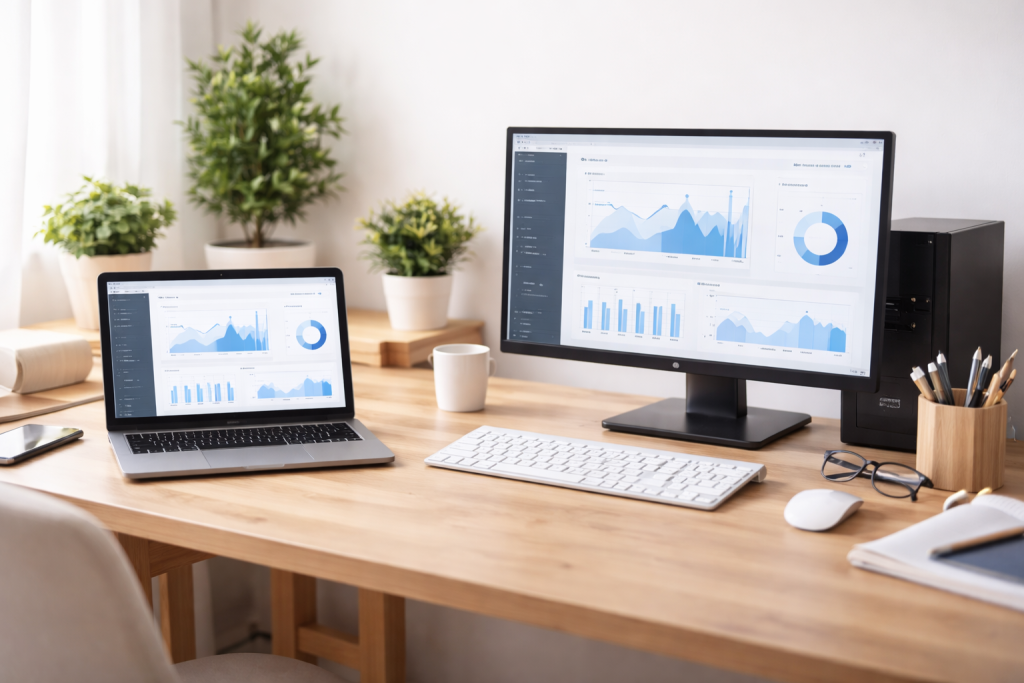
The most obvious distinction between laptops and desktops lies in their portability. A laptop is designed for mobility. You can easily move it around your house, take it to a coffee shop, or bring it on a business trip. This flexibility is a major draw for many. If your work requires you to travel frequently, attend meetings in various locations, or simply prefer to switch up your workspace, a laptop acts as a reliable companion. Consider your work as a continuous stream; a laptop enables your projects to follow you wherever you go.
Contents
- 0.1 Workspace Flexibility
- 0.2 Setup and Tear-down
- 0.3 Processing Capability
- 0.4 Graphics Performance
- 0.5 Memory Capacity
- 0.6 Customizable Setup
- 0.7 Integrated vs. Separate Components
- 0.8 External Accessories
- 0.9 Initial Purchase Price
- 0.10 Peripheral Costs
- 0.11 Repair Costs
- 0.12 Component Swapping
- 0.13 Limited Laptop Upgrades
- 0.14 Custom Builds
- 0.15 Untethered Operation
- 0.16 Power Demands
- 0.17 Fixed Screens on Laptops
- 0.18 Desktop Monitor Flexibility
- 0.19 Display Ergonomics
- 0.20 Laptop Ports
- 0.21 Desktop Port Abundance
- 0.22 Wireless Capabilities
- 0.23 Physical Security
- 0.24 Data Security
- 0.25 Webcam and Microphone
- 0.26 Manufacturing and Materials
- 0.27 Energy Efficiency
- 0.28 Longevity and Upgrades
- 1 FAQs
- 1.1 1. What are the advantages of using a laptop for everyday work?
- 1.2 2. What are the advantages of using a desktop for everyday work?
- 1.3 3. What are the disadvantages of using a laptop for everyday work?
- 1.4 4. What are the disadvantages of using a desktop for everyday work?
- 1.5 5. What factors should be considered when choosing between a laptop and desktop for everyday work?
Workspace Flexibility
The compact nature of a laptop means it can fit into various environments. You can work from your couch, at a desk, or even on public transport. This adaptability is particularly useful for remote workers or those in dynamic roles. You are not tethered to a single location, allowing for greater freedom in how and where you complete tasks.
Setup and Tear-down
Laptops are ready to go with minimal setup. Open the lid, and you’re nearly there. Desktops, by contrast, require more components: a separate monitor, keyboard, mouse, and often multiple cables. Setting up a desktop workspace takes more time and space. For quick transitions between personal and professional use, or for frequent relocation, a laptop offers superior convenience.
A desktop, however, provides a fixed, dedicated workspace. This can be beneficial for establishing a routine and minimizing distractions. Your desk becomes your professional command center, always ready for action.
While laptops have made huge improvements in performance, desktops generally hold an edge in raw power. This gap is narrowing, but for demanding tasks, a desktop often remains the preferred choice.
Processing Capability
Desktops typically house more powerful processors (CPUs) and larger cooling systems. This allows them to sustain higher performance for extended periods, especially during intensive tasks like video editing, 3D rendering, or complex data analysis. Think of a desktop as a powerful engine built for sustained, heavy-duty operation. Laptops, due to their size constraints, often use lower-power components to manage heat and battery life. While many laptops offer strong performance, they may throttle under continuous heavy load.
Graphics Performance
For tasks requiring strong graphical capabilities, such as gaming, graphic design, or CAD work, desktops generally offer superior performance. They can accommodate larger, more powerful graphics cards (GPUs) that laptops cannot. These discrete graphics cards provide the horsepower needed to render intricate visuals and process large datasets quickly. A laptop’s integrated or mobile discrete GPU, while capable, often cannot match the raw power of a full-sized desktop card.
Memory Capacity
Desktops often support more RAM (Random Access Memory) than laptops. More RAM translates to better multitasking capabilities and smoother operation when working with large files or multiple applications simultaneously. While many laptops now offer ample RAM, desktops can typically be configured with even greater capacities, which can be crucial for professional applications.
Working long hours at a computer demands a comfortable setup. This is where desktops often shine, though laptops can be adapted.
Customizable Setup
A desktop allows for a fully customizable ergonomic setup. You can choose a monitor that suits your vision needs, an ergonomic keyboard and mouse that reduce strain, and an adjustable desk and chair. This flexibility helps prevent repetitive strain injuries and promotes better posture. Think of your workspace as a custom-made garment; a desktop allows you to customize it to your exact specifications.
Integrated vs. Separate Components
Laptops combine the screen, keyboard, and trackpad into a single unit. This integrated design, while contributing to portability, can compromise ergonomics. The fixed relationship between the screen and keyboard often forces you to choose between comfortable screen height and comfortable typing posture. Often, when the screen is at eye level, the keyboard is too high, leading to wrist strain. Conversely, a comfortable keyboard position can mean looking down at the screen, causing neck and shoulder discomfort.
External Accessories
To improve laptop ergonomics, you often need external accessories: a stand to raise the screen, a separate keyboard, and a mouse. While these accessories improve comfort, they diminish the “grab and go” convenience that is a laptop’s primary advantage, making its setup more akin to a desktop.
The initial cost of a computer can be a significant factor. While it might seem that laptops are always more expensive, the reality is more nuanced.
Initial Purchase Price
For comparable performance, desktops often offer better value for money. You can typically get a more powerful desktop for the same price as a mid-range laptop. This phenomenon is partly due to the compact and integrated nature of laptop components, which can drive up manufacturing costs. When budget is the primary concern and you require raw power, a desktop often offers more value for your money.
Peripheral Costs
Remember to factor in peripheral costs for a desktop. A monitor, keyboard, and mouse are essential purchases. While some bundle deals exist, these add to the overall expense. Laptops, being all-in-one solutions, circumvent these initial peripheral costs. However, to achieve optimal ergonomics, external peripherals for a laptop are often recommended, adding to its total cost over time.
Repair Costs
Laptop repairs can sometimes be more expensive due to the integrated design and specialized components. If a component fails within a laptop, it might require replacing an entire module. Desktop components are generally standardized and more easily replaced or upgraded, potentially leading to lower repair costs.
This is an area where desktops generally hold a clear advantage. Think of a desktop as a modular building kit.
Component Swapping
Desktops are designed for easy component upgrades. You can typically swap out the graphics card, add more RAM, replace the hard drive, or even upgrade the CPU without replacing the entire system. This extends the lifespan of the computer and allows you to tailor its performance to evolving needs. If your work demands change, a desktop can often adapt without requiring a new purchase. Such versatility makes a desktop a long-term investment that can grow with you.
Limited Laptop Upgrades
Laptops offer far less scope for upgrades. RAM may be upgradable on some models, and storage drives can sometimes be replaced, but core components like the CPU or GPU are almost always soldered to the motherboard. This means that if your performance needs outgrow your laptop’s capabilities, you’re likely looking at purchasing a new machine. The compact design and thermal considerations restrict the possible modifications.
Custom Builds
For those with specific performance requirements, desktops offer the option of custom building. You can select each component to create a machine perfectly optimized for your workflow, whether it’s for intensive scientific simulations, game development, or media production. This level of customization is practically impossible with laptops.
Naturally, battery life is a laptop-exclusive feature.
Untethered Operation
A laptop’s battery provides the freedom to work away from a power outlet. This is crucial for fieldwork, travel, or simply moving between different rooms without interrupting your workflow. Battery performance varies significantly between models and usage patterns, but modern laptops often offer several hours of untethered operation. This feature allows for spontaneous work sessions wherever inspiration strikes.
Power Demands
Desktops require a constant power connection. They consume more electricity than laptops, especially higher-performance models. This translates to a slightly higher electricity bill, though for most individual users, the difference is not substantial enough to be a primary decision factor. However, for large organizations with many machines, the cumulative power consumption can be considered.
The visual experience is critical for many types of work.
Fixed Screens on Laptops
Laptops come with integrated screens that range in size, typically from 13 to 17 inches. While some laptops offer high resolutions and good color accuracy, the device’s size and quality limit your options. For tasks requiring a large canvas, a single laptop screen might not suffice.
Desktop Monitor Flexibility
Desktops offer unparalleled flexibility in screen choice. You can select monitors of virtually any size, resolution (from HD to 4K and beyond), panel type (IPS for color accuracy, VA for contrast), and even curved displays. Many desktop users opt for multiple monitors, creating a vast digital workspace ideal for multitasking, coding, or detailed design work. Imagine your desktop setup as a canvas that you can expand indefinitely.
Display Ergonomics
As mentioned previously, a separate desktop monitor allows for optimal ergonomic positioning at eye level, which is crucial for reducing neck and eye strain during long work sessions.
How you connect to peripherals and external devices is another important consideration.
Laptop Ports
Laptops, due to their size, often have fewer ports than desktops. While USB-C and Thunderbolt have improved connectivity, you might still find yourself reaching for dongles or hubs to connect all your devices, such as external hard drives, monitors, and specialized peripherals. This can lead to a cluttered workspace and added expense.
Desktop Port Abundance
Desktops, particularly custom-built or tower models, typically offer a generous array of ports. You’ll often find multiple USB-A and USB-C ports, display outputs (HDMI, DisplayPort), Ethernet, and audio jacks. Furthermore, internal expansion slots allow for adding specialized cards like capture cards, extra network adapters, or high-speed storage interfaces, which are impossible in a laptop.
Wireless Capabilities
Both laptops and desktops offer Wi-Fi and Bluetooth connectivity, essential for modern wireless peripherals and network access. However, a desktop’s larger chassis can sometimes accommodate more powerful wireless antennas for better signal strength.
Both device types present their considerations regarding security and privacy.
Physical Security
Laptops are more susceptible to theft due to their portability. If your work involves sensitive data, the risk of a lost or stolen laptop is a significant concern. Physical security measures, such as cable locks and careful handling, become more important. Desktops, being stationary, present a lower risk of physical theft from a dedicated workspace.
Data Security
The principles of data security—strong passwords, encryption, and regular backups—apply equally to both laptops and desktops. However, a lost laptop carrying unencrypted sensitive data poses a greater immediate threat. Cloud-based security solutions and device encryption are highly recommended for both types of machines.
Webcam and Microphone
Laptops come with integrated webcams and microphones, which can be a privacy concern if not properly managed. Although desktop setups frequently incorporate external webcams, you possess greater control over their connectivity and activity.
The ecological footprint of your computer choice is an increasingly relevant factor.
Manufacturing and Materials
Both laptops and desktops necessitate a complex manufacturing process that involves various materials, including rare earths. The production of either device has an environmental cost. The trend toward smaller, more integrated components in laptops can sometimes make recycling or salvaging specific parts more difficult.
Energy Efficiency
Laptops are generally more energy-efficient than desktops due to their lower power consumption and optimized components for battery life. While a desktop consumes more electricity, its longer potential lifespan through upgrades might offset some of this environmental cost over time.
Longevity and Upgrades
The superior upgradability of desktops contributes to their potential for a longer lifespan. By replacing individual components, you can extend the useful life of a desktop, reducing the frequency of purchasing new machines. This can be seen as an environmental benefit, as it delays the need to manufacture entirely new devices. Due to their limited upgrade paths, laptops often require more frequent replacements, leading to an increase in electronic waste.
Selecting between a laptop and a desktop requires careful consideration. Your ideal machine will reflect your workflow, budget, and personal preferences. If mobility is paramount, a laptop is your obvious choice. If raw power, expandability, and ergonomic comfort for a fixed workstation are your priorities, a desktop will likely serve you better. To make the best decision, consider which factors weigh most heavily in your daily work.
FAQs
1. What are the advantages of using a laptop for everyday work?
– Portability and convenience: Laptops are lightweight and portable, allowing users to work from anywhere. – Battery life and power consumption: Laptops are designed for energy efficiency and typically have longer battery life compared to desktops. – Connectivity and expandability: Laptops often come with built-in Wi-Fi and Bluetooth and can easily connect to external devices.
2. What are the advantages of using a desktop for everyday work?
– Performance and power: Desktops generally offer more powerful hardware and better performance for demanding tasks such as video editing or gaming. – Ergonomics and comfort: Desktop setups can be ergonomically optimized with larger monitors, separate keyboards, and mice for improved comfort during long work sessions. – Upgradability and customization: Desktops are easier to upgrade and customize with additional hardware components such as graphics cards, RAM, and storage.
3. What are the disadvantages of using a laptop for everyday work?
– Screen size and display quality: Laptops typically have smaller screens and may not offer the same display quality as desktop monitors. – Security and privacy: Laptops are more susceptible to theft and loss, posing potential security and privacy risks for sensitive work data. – Environmental impact and sustainability: Laptops have a shorter lifespan and are more difficult to recycle, contributing to electronic waste.
4. What are the disadvantages of using a desktop for everyday work?
– Portability and convenience: Desktops are not portable and require a dedicated workspace, limiting flexibility for remote work or travel. – Cost and affordability: Desktop setups can be more expensive than laptops, especially when considering additional peripherals such as monitors, keyboards, and mice. – Battery life and power consumption: Desktops consume more power and do not offer the same mobility as laptops with built-in batteries.
5. What factors should be considered when choosing between a laptop and desktop for everyday work?
– Users should consider their specific work requirements, such as performance needs, mobility, and workspace setup. – Budget and affordability play a significant role in the decision-making process, as desktop setups may require additional investment in peripherals. – Environmental impact and sustainability should be considered, as laptops and desktops have different implications for electronic waste and energy consumption.

Sarah Khan is a technology enthusiast and the admin of ProTechTuto. Her goal is to provide clear, practical, and easy-to-understand tech guides for beginners, helping them build strong digital skills with confidence.