
Stay Secure Online: Understanding the Basics of Two-Factor Authentication
In today’s digital world, safeguarding personal information online is a constant challenge. As cyber threats evolve, so too must our defenses. One of the most effective tools for bolstering online security is two-factor authentication, often referred to as 2FThis article will explore the fundamental principles of 2FA, its significance, how it operates, various methods available, and practical advice for its implementation.
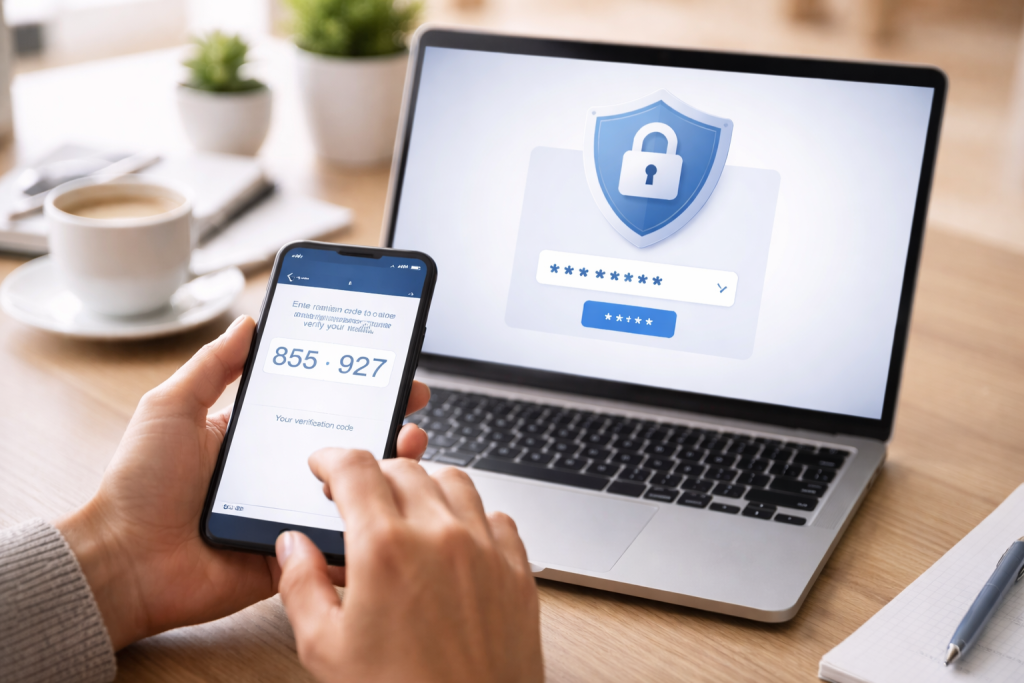
Two-factor authentication is a security process that requires a user to provide two distinct verification factors to gain access to a system or account. This layered approach acts as an additional gatekeeper, making it significantly harder for unauthorized individuals to access your sensitive data. Think of it like having two different keys to open a bank vault, rather than just one. If a password is lost or stolen, the second factor still stands guard.
Contents
- 0.1 The Concept of “Factors” in Authentication
- 0.2 Something You Know
- 0.3 Something You Have
- 0.4 Something You Are
- 0.5 Two-Factor Authentication vs. Multi-Factor Authentication
- 0.6 Protecting Against Password Compromise
- 0.7 Mitigating Phishing and Social Engineering Attacks
- 0.8 Securing Sensitive Data
- 0.9 Regulatory and Compliance Requirements
- 0.10 The Standard Login Process
- 0.11 The Second Factor Verification
- 0.12 The Validation Step
- 0.13 SMS-Based One-Time Passcodes (OTPs)
- 0.14 Authenticator Apps
- 0.15 Hardware Security Keys
- 0.16 Biometric Authentication
- 0.17 Email-Based Verification Codes
- 0.18 Locate the Security Settings
- 0.19 Choose Your Preferred Method
- 0.20 Follow the On-Screen Instructions
- 0.21 Save Backup Codes
- 0.22 Enable 2FA on Critical Accounts First
- 0.23 Myth: 2FA is too complicated for ordinary users.
- 0.24 Myth: If my phone is stolen, I’m locked out of my accounts.
- 0.25 Myth: 2FA is not necessary if I use very strong, unique passwords.
- 0.26 Myth: All 2FA methods are equally secure.
- 0.27 Myth: Services will nag me constantly with verification requests.
- 0.28 Advantages
- 0.29 Disadvantages
- 0.30 Enable 2FA on All Supported Accounts
- 0.31 Use Authenticator Apps or Hardware Keys When Possible
- 0.32 Store Backup Codes Securely and Separately
- 0.33 Be Wary of Unexpected 2FA Prompts
- 0.34 Keep Your Recovery Information Up-to-Date
- 0.35 Regularly Review 2FA Settings
- 0.36 Mobile Devices as the Second Factor
- 0.37 Biometrics on Mobile Devices
- 0.38 Securing Mobile Devices Themselves
- 0.39 Passwordless Authentication
- 0.40 Behavioral Biometrics
- 0.41 Federated Identity and Single Sign-On (SSO)
- 0.42 Increased Adoption of FIDO Standards
- 1 FAQs
- 1.1 What is Two-Factor Authentication (2FA)? Two-Factor Authentication (2FA) is a security process that requires two different forms of identification in order to access an online account. This typically involves something the user knows (like a password) and something the user has (like a mobile device or security key).
- 1.2 The Importance of Two-Factor Authentication in Online Security Two-Factor Authentication is important in online security because it adds an extra layer of protection against unauthorized access to accounts. It helps to prevent unauthorized users from gaining access to sensitive information, even if they have obtained the user’s password.
- 1.3 How Two-Factor Authentication Works Two-Factor Authentication works by requiring the user to provide two different types of identification before granting access to an account. This can include a password and a one-time code sent to a mobile device, a fingerprint scan, or a security key.
- 1.4 Types of Two-Factor Authentication Methods There are several types of Two-Factor Authentication methods, including SMS codes, mobile app authenticators, biometric verification (such as fingerprint or facial recognition), and hardware tokens.
- 1.5 Setting Up Two-Factor Authentication for Your Online Accounts To set up Two-Factor Authentication for your online accounts, you typically need to go to the security settings of the account and enable 2FA. This may involve linking a mobile phone number, installing a mobile app, or using a hardware token.
The Concept of “Factors” in Authentication
Authentication factors are generally categorized into three types:
Something You Know
This is information that only the user should be aware of. The most common example is a password. Other examples include PINs, security questions, or a passphrase. This factor relies on the user’s memory.
Something You Have
This refers to a physical item that belongs to the user and that they possess. Examples include a smartphone to receive a one-time code via SMS or an authenticator app, a hardware security key that plugs into a USB port, or a smart card. Possession is the key here; without the physical item, access is denied.
Something You Are
This is a biometric characteristic unique to the individual. Examples include fingerprint scans, facial recognition, or iris scans. This factor relies on inherent biological traits.
2FA combines two of these distinct categories. For instance, a common 2FA setup uses a password (something you know) and a code from a mobile authenticator app (something you have). This dual requirement significantly strengthens security compared to relying on a single factor alone.
Two-Factor Authentication vs. Multi-Factor Authentication
It is important to distinguish 2FA from multi-factor authentication (MFA). While often used interchangeably, MFA is a broader term that encompasses any authentication process requiring two or more factors from different categories. 2FA is a specific type of MFA that uses exactly two factors. Therefore, all 2FA is MFA, but not all MFA is 2FFor the purposes of this article, we will focus on the practical application of 2FA, which is the most common form of MFA encountered by everyday users.
In an era where data breaches are increasingly common and sophisticated, relying solely on passwords is akin to leaving your front door unlocked and hoping for the best. Passwords can be weak, guessed, stolen through phishing attacks, or exposed in large-scale data breaches. 2FA introduces a crucial layer of defense that significantly mitigates these risks.
Protecting Against Password Compromise
The most direct benefit of 2FA is its ability to protect your accounts even if your password is compromised. If a hacker obtains your password through any means, they still cannot gain access without the second authentication factor. This immediately renders many common hacking techniques ineffective. For example, if your email account is compromised, and that email account is used to reset passwords for other services like banking or social media, 2FA on those other services prevents the hacker from gaining access to them, even with your stolen password.
Mitigating Phishing and Social Engineering Attacks
Phishing attacks aim to trick users into revealing their login credentials. While strong passwords are a defense, social engineering tactics can be very persuasive. Even if a user falls victim to a phishing scam and divulges their password, 2FA will prevent the attacker from logging in without the second factor. This acts as a critical safety net, preventing a single mistake from leading to a complete account takeover.
Securing Sensitive Data
Many online services store sensitive personal and financial information. From bank accounts and investment portfolios to medical records and private communications, the compromise of these accounts can have severe consequences. 2FA provides a robust barrier against unauthorized access to this critical data, offering peace of mind and a higher level of privacy.
Regulatory and Compliance Requirements
In certain industries, particularly those dealing with financial or health information, regulators mandate the use of strong authentication methods, including 2FA, to protect customer data. Implementing 2FA not only enhances security but also helps organizations meet their legal and compliance obligations. This underscores the recognized value of 2FA in professional and critical digital environments.
The mechanics of 2FA are designed to be relatively straightforward for the user while providing robust security. The process typically begins with the standard login procedure, followed by the secondary verification step.
The Standard Login Process
When you attempt to log into an account that uses 2FA, you will first be prompted to enter your username and password. This is the “something you know” factor. Once these credentials are correctly submitted, the system recognizes that a legitimate user is attempting access.
The Second Factor Verification
Following the successful entry of your password, the system will then request the second factor of authentication. The nature of this request depends on the type of 2FA method you have configured. For example, it might ask for:
- A six-digit code that changes every 30-60 seconds.
- Confirmation of a prompt sent to your mobile device.
- An answer to a security question.
- The result of a fingerprint scan.
The Validation Step
Once you provide the secondary factor, the system validates it against what it expects. If both the password and the second factor are correct, you are granted access to your account. If either factor is incorrect, or if the second factor is not provided within a specified time limit, access is denied. This sequential verification ensures that even if one piece of the authentication puzzle is obtained by an attacker, they cannot proceed further without the other. The system essentially checks two distinct locks before opening the door.
The landscape of 2FA is diverse, with various methods available to suit different user needs and security preferences. Understanding these options allows individuals to choose the most suitable approach for their online accounts.
SMS-Based One-Time Passcodes (OTPs)
This is one of the most prevalent and user-friendly 2FA methods. When you log in, a unique, time-sensitive code is sent via SMS to your registered phone number. You then enter this code to complete the authentication.
Advantages of SMS OTPs
- Widespread Availability: Most people have a mobile phone capable of receiving SMS messages.
- Ease of Use: It requires minimal technical knowledge to use.
- No Additional Apps Required: Unlike some other methods, it does not necessitate the installation of extra software.
Disadvantages of SMS OTPs
- Vulnerability to SIM Swapping: If an attacker gains control of your phone number through a SIM swap attack, they could intercept your OTPs.
- Reliance on Mobile Signal: If you have no mobile signal, you may not receive the code promptly.
- Potential for Delay: SMS messages can sometimes experience delivery delays.
Authenticator Apps
Authenticator applications, such as Google Authenticator, Authy, or Microsoft Authenticator, generate one-time passcodes that are refreshed every 30 to 60 seconds. These apps are linked to your accounts during the setup process.
Advantages of Authenticator Apps
- Enhanced Security: Not susceptible to SIM swapping attacks.
- Offline Capability: Codes can be generated even without an internet or mobile signal.
- Centralized Access: Many apps can manage codes for multiple accounts from a single interface.
Disadvantages of Authenticator Apps
- Requires Smartphone: A smartphone is necessary to run the app.
- Device Loss: If you lose your phone and do not have a backup, you may lose access to your accounts.
- Initial Setup: Requires a slightly more involved setup process than SMS OTPs.
Hardware Security Keys
Hardware security keys are small physical devices, often resembling USB drives, that store cryptographic keys. When prompted, you insert the key into your device and tap it (or enter a PIN) to authenticate. Examples include YubiKey and Titan Security Key.
Advantages of Hardware Security Keys
- Highest Level of Security: Considered the most secure form of 2FA, as they are resistant to phishing and man-in-the-middle attacks.
- No Reliance on Phone or Network: Works independently of your mobile device or internet connection.
Disadvantages of Hardware Security Keys
- Cost: These keys typically involve a one-time purchase cost.
- Portability: You must carry the key with you, and losing it can be problematic.
- Limited Compatibility: Not all websites and services support hardware security keys.
Biometric Authentication
Biometrics, such as fingerprint scanners and facial recognition, are becoming increasingly common as a second factor, especially on mobile devices.
Advantages of Biometric Authentication
- Convenience: Very quick and easy to use once set up.
- Unique to the User: Difficult for others to replicate.
Disadvantages of Biometric Authentication
- Privacy Concerns: Some users may have concerns about storing their biometric data.
- Accuracy Issues: Can sometimes have false positives or negatives.
- Device Dependency: Typically tied to specific devices.
Email-Based Verification Codes
Similar to SMS OTPs, a code is sent to your registered email address. While convenient, it is generally considered less secure than other methods because if your email account is compromised, the attacker can gain access to these codes. It is often used as a fallback or as the primary method for services where lower security risk is acceptable.
Implementing 2FA is a proactive step towards securing your digital life. Most online services that offer 2FA make the setup process relatively straightforward.
Locate the Security Settings
Begin by logging into the online account you wish to secure. Navigate to the account settings, profile, or security section. Look for an option labeled “Two-Factor Authentication,” “2-Step Verification,” or “Multi-Factor Authentication.”
Choose Your Preferred Method
The service will typically present you with the available 2FA methods. Select the option that best suits your needs and capabilities. For instance, if you primarily use your smartphone, an authenticator app or SMS OTP might be ideal. If you are prioritizing maximum security, consider using a hardware security key where supported.
Follow the On-Screen Instructions
Each service will provide specific instructions for setting up your chosen 2FA method. This usually involves:
- For SMS OTPs: Entering your phone number to receive a verification code.
- For Authenticator Apps: Scanning a QR code with your authenticator app or manually entering a secret key.
- For Hardware Security Keys: Registering the key with your account, which may involve plugging it in and touching it.
Save Backup Codes
Crucially, most services will provide a set of backup codes. These codes are one-time use and can be used to access your account if you lose access to your primary 2FA method (e.g., your phone is lost or stolen). Store these codes in a safe, offline location, separate from your primary devices. Treat them with the same care you would your passwords.
Enable 2FA on Critical Accounts First
Prioritize setting up 2FA on your most important accounts, such as email, banking, social media, and any services containing sensitive personal information. This ensures that your most valuable digital assets are protected first.
Despite its widespread adoption and clear benefits, several misconceptions about 2FA persist. Addressing these can help more people confidently implement and utilize this security measure.
Myth: 2FA is too complicated for ordinary users.
Reality: While some methods, like hardware keys, might require a brief learning curve, services offering 2FA generally streamline the setup and usage process. Authenticator apps and SMS OTPs are designed for ease of use, requiring no advanced technical skills. The initial setup is a small investment of time for a significant security gain.
Myth: If my phone is stolen, I’m locked out of my accounts.
Reality: This is where backup codes are essential. When setting up 2FA, you are usually provided with a list of recovery codes. If you lose your phone, you can use these codes to access your account and then re-establish your 2FA on a new device. Furthermore, many authenticator apps allow you to back up your codes to the cloud, which can be restored on a new device.
Myth: 2FA is not necessary if I use very strong, unique passwords.
Reality: While strong passwords are a fundamental part of online security, they are not infallible. Passwords can be brute-forced, guessed, or stolen through various means. 2FA provides an essential additional layer of defense, ensuring that even if your password is compromised, your account remains secure. It’s not an either/or situation; both strong passwords and 2FA are vital.
Myth: All 2FA methods are equally secure.
Reality: As discussed earlier, different 2FA methods offer varying levels of security. SMS-based codes are susceptible to SIM swapping, while hardware security keys offer the strongest protection against a wide range of threats. Understanding these differences allows users to select the most appropriate method for their risk tolerance and the sensitivity of the account.
Myth: Services will nag me constantly with verification requests.
Reality: Most services that implement 2FA are designed to be user-friendly. They typically only prompt for the second factor when you log in from a new device or after a certain period of inactivity. Many services also offer options to “trust” a device, meaning you won’t be asked for 2FA every single time you log in from that device, balancing security with convenience.
Like any security measure, 2FA comes with its own set of benefits and drawbacks. A balanced understanding of these aspects allows for informed decision-making.
Advantages
- Significantly Enhanced Security: As highlighted, 2FA drastically reduces the risk of unauthorized account access due to password compromise.
- Protection Against Various Attacks: It provides a strong defense against phishing, brute-force attacks, and credential stuffing.
- Increased User Confidence: Knowing that accounts are better protected can provide users with greater peace of mind when interacting online.
- Compliance: Assists organizations in meeting regulatory requirements for data security.
- Low Cost for Many Methods: SMS and authenticator app-based 2FA are often free to implement for users.
Disadvantages
- Inconvenience: Requiring an extra step during login can sometimes be perceived as a hassle, particularly for users who log in frequently.
- Potential for Loss of Access: If a user loses their second factor and has not saved backup codes or set up alternative recovery methods, they may be locked out of their account.
- Vulnerability of Some Methods: SMS OTPs, while common, are not the most secure method and can be intercepted.
- Dependency on Device Availability: Methods tied to a smartphone require the device to be powered on, charged, and within signal range (for SMS).
- Setup Complexity for Some Users: While generally manageable, the initial setup process might be a barrier for technologically less adept individuals.
To maximize the effectiveness of 2FA and ensure a smooth user experience, adhering to certain best practices is recommended.
Enable 2FA on All Supported Accounts
The more accounts you secure with 2FA, the more robust your overall online security posture becomes. Prioritize services that hold financial information, personal identification, or sensitive communications.
Use Authenticator Apps or Hardware Keys When Possible
While SMS OTPs are convenient, consider using authenticator apps or hardware security keys for accounts where the highest level of security is desired. These methods offer superior protection against common attack vectors.
Store Backup Codes Securely and Separately
Treat your backup codes with the same importance as your passwords. Store them in a physical location that is both safe and accessible only to you, such as a secure safe or a password manager that supports document storage. Do not store them digitally on the same device you use for 2FA.
Be Wary of Unexpected 2FA Prompts
If you receive a request to enter a 2FA code that you did not initiate, do not provide it. This could be a sign that someone is attempting to access your account. Immediately change your password and report any suspicious activity to the service provider.
Keep Your Recovery Information Up-to-Date
Ensure that any recovery phone numbers or email addresses associated with your accounts are current. This is crucial for regaining access if you lose your primary 2FA method.
Regularly Review 2FA Settings
Periodically check your account settings to ensure your 2FA methods are still active and that no unauthorized changes have been made. This is a good practice for overall account hygiene.
Mobile devices are central to our digital lives, making them prime targets for attackers and essential tools for implementing 2FA.
Mobile Devices as the Second Factor
Smartphones are frequently used as the device for the “something you have” factor through SMS OTPs and authenticator apps. The convenience of having your phone with you at all times makes it a natural choice for this role.
Biometrics on Mobile Devices
Modern smartphones integrate biometric sensors for fingerprint and facial recognition. These can serve as the second factor for unlocking the device itself and for authenticating within applications. For example, when using banking apps that require 2FA, you might be prompted to use your fingerprint to confirm a transaction.
Securing Mobile Devices Themselves
Beyond using your phone as a second factor, it’s crucial to secure the device itself. This includes:
- Using a Strong Lock Screen: Employ a PIN, pattern, or biometric authentication to prevent unauthorized physical access to your device.
- Enabling Remote Wipe: Set up features that allow you to remotely erase data from your device if it is lost or stolen, protecting the information stored on it, including any authentication credentials.
- Keeping Software Updated: Regularly update your mobile operating system and applications to patch security vulnerabilities.
The field of authentication is continuously evolving, with ongoing research and development aimed at creating more secure and user-friendly methods of identity verification.
Passwordless Authentication
A significant trend is the move towards passwordless authentication. While 2FA reduces reliance on passwords, passwordless solutions aim to eliminate them entirely. Technologies like FIDO (Fast Identity Online) Alliance standards enable users to authenticate using their existing devices and biometrics without ever needing to remember or type a password. This simplifies the login process significantly while often improving security.
Behavioral Biometrics
Beyond static biometrics like fingerprints, behavioral biometrics analyzes how a user interacts with their device – their typing rhythm, mouse movements, or how they hold their phone. This can create a continuous authentication profile, allowing systems to verify identity passively and in real-time, adding another layer of security without user intervention.
Federated Identity and Single Sign-On (SSO)
As more services adopt 2FA, managing multiple logins and authentication factors can become cumbersome. Federated identity and SSO solutions aim to simplify this by allowing users to log in once with a trusted identity provider and then gain access to multiple connected applications. While often implemented with simpler authentication at the outset, these systems are increasingly integrating 2FA for the initial login to the identity provider, thereby bolstering security across all connected services.
Increased Adoption of FIDO Standards
The FIDO Alliance’s standards are gaining traction, promoting secure, interoperable authentication methods that don’t rely on passwords or vulnerable SMS messages. Hardware tokens and device-based biometrics compliant with FIDO standards are expected to become more widespread, offering a significant upgrade in security for consumers and enterprises alike.
In conclusion, two-factor authentication stands as a vital pillar in modern online security. By requiring more than just a password, it creates a formidable barrier against unauthorized access, protecting your digital identity and sensitive information. Understanding its principles, methods, and best practices empowers you to take control of your online safety. As technology advances, so too will the methods of authentication, but the core principle of layered security – having more than one key to the kingdom – will remain paramount.
FAQs
What is Two-Factor Authentication (2FA)? Two-Factor Authentication (2FA) is a security process that requires two different forms of identification in order to access an online account. This typically involves something the user knows (like a password) and something the user has (like a mobile device or security key).
How Two-Factor Authentication Works Two-Factor Authentication works by requiring the user to provide two different types of identification before granting access to an account. This can include a password and a one-time code sent to a mobile device, a fingerprint scan, or a security key.
Types of Two-Factor Authentication Methods There are several types of Two-Factor Authentication methods, including SMS codes, mobile app authenticators, biometric verification (such as fingerprint or facial recognition), and hardware tokens.
Setting Up Two-Factor Authentication for Your Online Accounts To set up Two-Factor Authentication for your online accounts, you typically need to go to the security settings of the account and enable 2FA. This may involve linking a mobile phone number, installing a mobile app, or using a hardware token.

Sarah Khan is a technology enthusiast and the admin of ProTechTuto. Her goal is to provide clear, practical, and easy-to-understand tech guides for beginners, helping them build strong digital skills with confidence.